

विवरण
Build complete pages – sliders, post grids, countdowns, pricing tables, and more – right inside Gutenberg, without a bulky page builder.
bBlocks | Documentation | Pricing | Support | Demo
Why bBlocks?
The native block editor is fast, but it runs out of blocks quickly. bBlocks extends Gutenberg with 60+ custom blocks, pre-built templates, and flexible layout options – so you can build landing pages, blog layouts, portfolios, and full websites without switching to a heavy third-party page builder.
Designed with performance in mind, bBlocks loads minimal CSS and JavaScript, works alongside core blocks, and gives you fine-grained control over typography, spacing, colors, and visibility on every block. Combine blocks into reusable patterns for consistent, site-wide layouts.
Whether you’re a blogger, freelancer, agency, or developer, bBlocks keeps you inside the editor you already know – and makes it powerful enough to design anything.
Free Features – Everything You Need to Get Started
- 60+ Custom Blocks: Posts, Sliders, Buttons, Countdowns, Cards, Charts, Tables, Forms, and many more.
- Advanced Block Customization: Adjust typography, spacing, color, and visibility to match your brand.
- Pre-Designed Layouts & Templates: Many blocks include layout presets and a Gutenberg template library for faster page creation.
- Custom Icon Library: Font Awesome, Bootstrap, and custom icons to personalize your designs.
- Google Fonts Support: Use any Google Font directly within the block typography settings.
- Performance-Optimized: Minimal CSS and JS, and assets load only where blocks are present.
- Reusable Patterns: Combine blocks into patterns for consistent, site-wide layouts.
Available Blocks
bBlocks adds over 60 blocks under the “bBlocks” category in the editor. Highlights include:
- Layout: Row Columns, Container, Section Heading, Shape Divider, bBlocks Navigation, Breadcrumb
- Media: Advanced Image, Image Gallery, Image Comparison, GIF Image, Video, Lottie Player, 3D Viewer, Image Hotspot, Image Scroller
- Sliders & Motion: Slider, Carousel, Logo Slider, Flip Boxes, Animated Text, SVG Draw, Text Path, Stacked Cards, Content Ticker, News Ticker
- Content: Accordion, Advanced Tabs, List, Table, Table Of Content, Toggle Content, HTML, Dual Color Heading, Emoji Stack Separator
- Marketing: Countdown, Counters, Alert, Button, Button Group, Pricing Table, Price Lists, QR Code, Mail To, Social Share, Star Rating
- Business: Posts, Chart, Services, Team Members, Cards, Icon Box, Feature Boxes, Info Box, Testimonials, Skill Bar, Form
- Social & Utility: Facebook Page, Facebook Embed, Scroll To Top
Pro Version – Unlock Advanced Block Controls
Upgrade to bBlocks Pro to supercharge key blocks with advanced layout settings, styling controls, device visibility options, and interactive enhancements.
Pro features include:
- Posts Block: More grid, list, and ticker layouts, tag and custom taxonomy filters, post offset, include/exclude by ID, custom pagination, element sorting, reading time, custom image sizes, shortcode support, and a
b_blocks_posts_queryfilter hook. - Countdown Block: Post-expiration message or layout, hide at zero, device visibility, styled prefix/suffix, per-unit box styling, dismiss button, extra patterns, and shortcode support.
- Slider Block: Cube, Coverflow, Flip, and Card effects, autoplay tweaks, free mode, keyboard and mousewheel navigation, device-specific navigation/pagination, and shortcode support.
- Image Comparison Block: Label positioning, custom line shape and size, auto-slide with speed control, hover/click move, and full line and handler styling.
- Button Block: Popup actions with image, video, audio, iframe, block, or document content, popup password protection or login requirement, tooltips, device visibility, and advanced rel/referrer attributes.
- Lottie Player Block: Hover triggers, animation modes, direction and loop count, speed and interval controls, interactivity rules, and styled captions.
Try the Pro Version – Unlock all premium features today!
How to Use bBlocks – Quick Start
- Install and activate the bBlocks plugin.
- In the Gutenberg editor, find your blocks under the “bBlocks” category.
- Add blocks to your page or post and configure settings from the right-hand panel.
- Save and publish your design.
Compatibility
- All modern WordPress themes that support Gutenberg
- Full Site Editing (FSE) themes
- Reusable blocks and block-based patterns
- Existing default blocks and core blocks
Use Cases
- Bloggers & Content Creators: Post grids, tables of content, and engaging layouts without code.
- Agencies & Freelancers: Build client sites faster with templates and reusable patterns.
- Developers: A lightweight Gutenberg page builder with hooks and native block markup.
- Anyone leaving heavy page builders: Keep native WordPress blocks and site speed.
What Users Say
⭐⭐⭐⭐⭐ Very complete!
❛❛Very complete plugin.❜❜
⭐⭐⭐⭐⭐ Easy, time saving
❛❛I recently started using the bBlocks plugin and it has made a huge difference in the quality and functionality of my WordPress websites. The Ultimate Block Collection is truly a timesaver and – it includes a wide range of blocks that have helped me create more interesting dynamic pages.❜❜
⭐⭐⭐⭐⭐ OUTSTANDING
❛❛This plugin set has it all and it all works outstanding. I am completely in love with all the options. Thank you so very much. AMAZING WORK!❜❜
⭐⭐⭐⭐⭐ bBlocks from bPlugins is amazing.
❛❛I just wanted to say that if you are looking for the best block plug-in collection then you need not look any further. This is the ultimate block collection. Highly recommended.❜❜
⭐⭐⭐⭐⭐ Very useful
❛❛I think this is something new. But very good. Many more will be using it soon. And it will have plenty of five-star ratings.❜❜
– Did you like this plugin? Dislike it? Have a feature request? Please share your feedback with us
Check out our other WordPress Plugins-
Html5 Video Player – Display videos as single and playlist in multiple skins.
PDF Poster – Display/Embed PDF files with different styles.
Html5 Audio Player – Listen audios with awesome visuals.
StreamCast – Customizable radio player with different skins.
3D Viewer – Embed 3D models and 3D products with interaction.
Advanced Post Block – Show posts and custom posts in different layouts.
स्क्रिनसटहरू
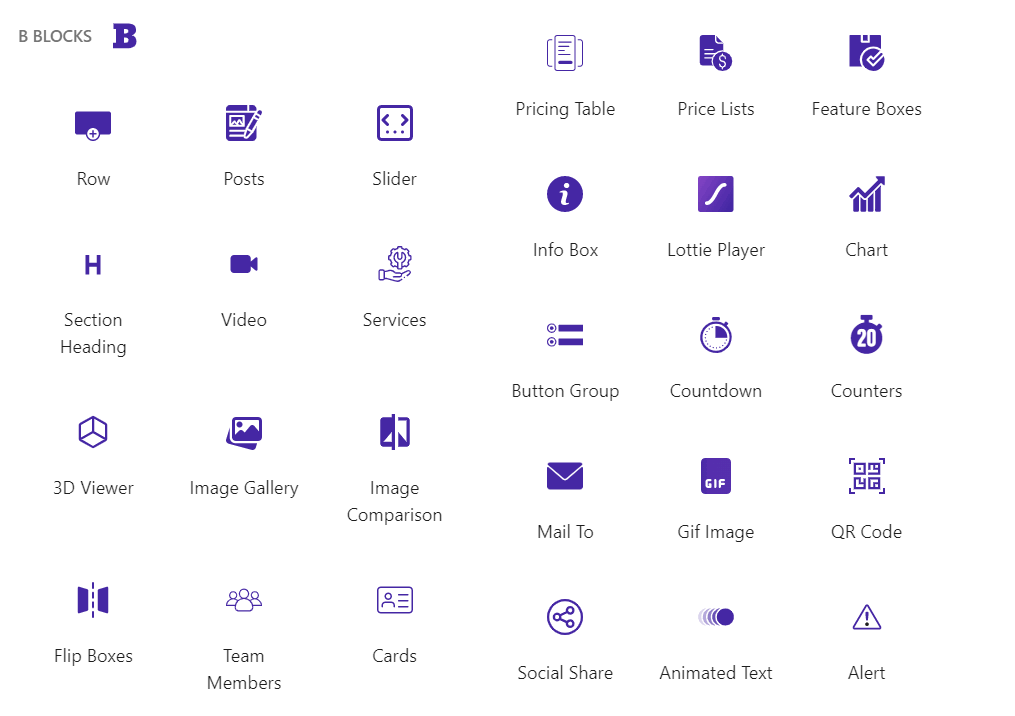
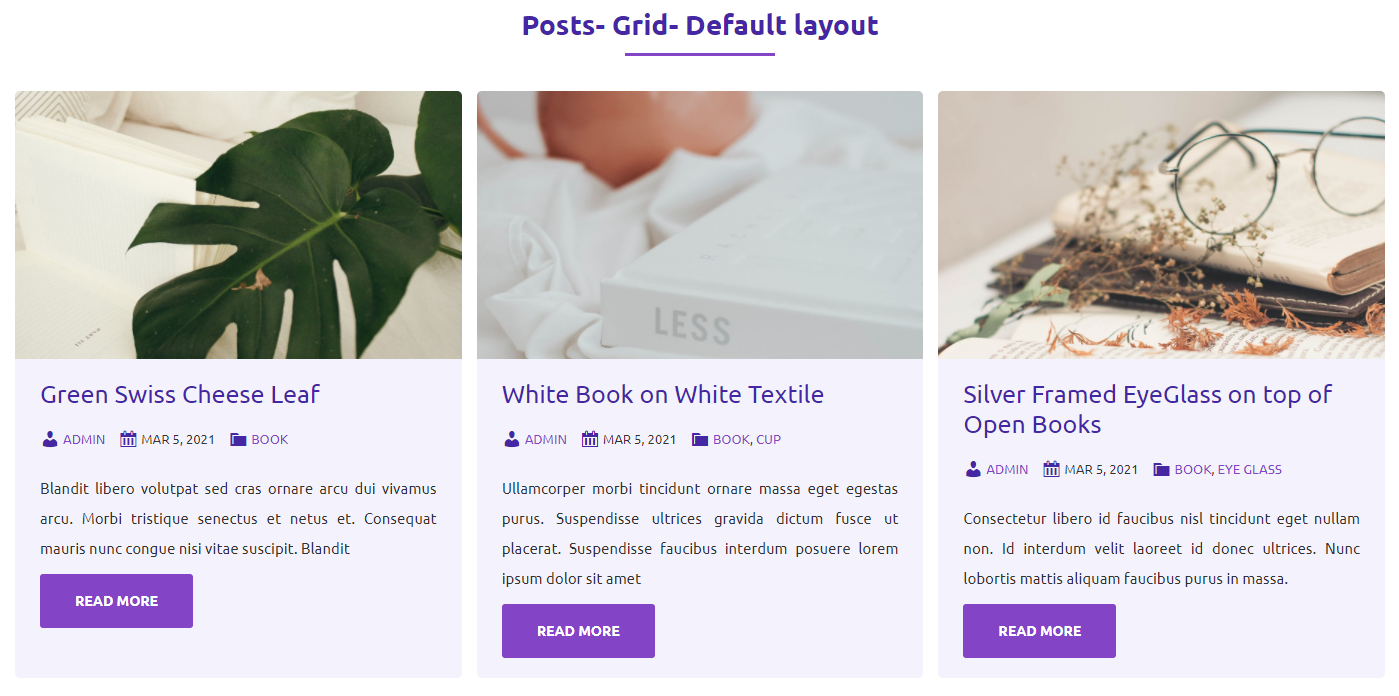


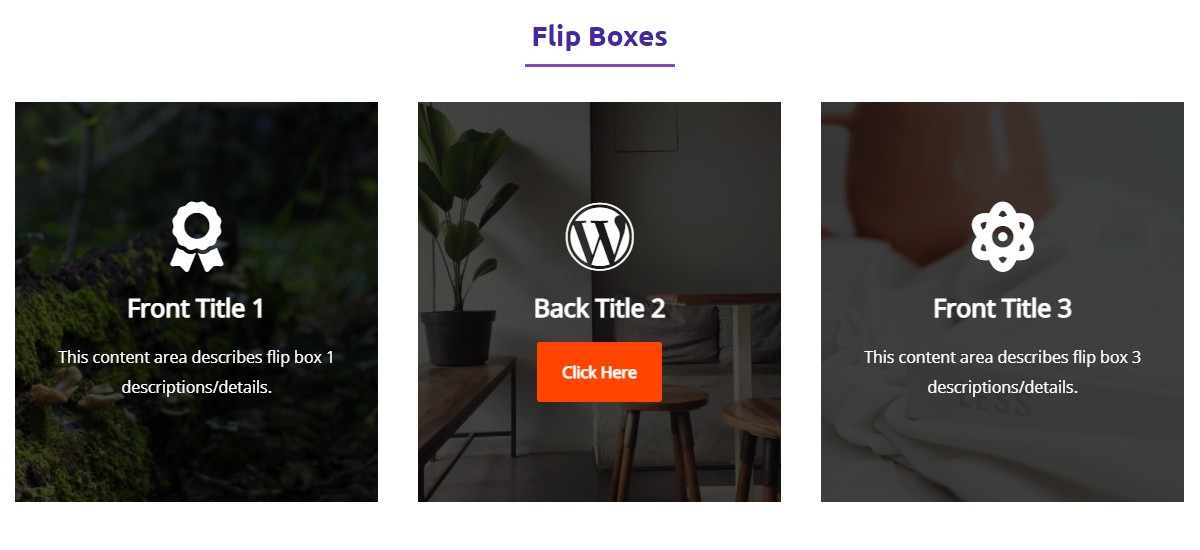


ब्लकहरू
यो प्लगिनले 71 ब्लकहरू उपलब्ध गराउँछ।
- Row Implement row and column layout.
- Pricing Table Display product prices as a table.
- Toggle Content A clean toggle switch lets users click to switch between two content sections below the heading.
- 3D Viewer Display interactive 3D models on the web
- Facebook Embed Facebook Embed allows you to facebook posts, videos on your website or blog.
- Button Group Display Dual Button.
- Testimonials Boost your website's credibility with b testimonials block, effortlessly showcasing customer ratings and reviews.
- Slider Display image and content slider.
- Alert Provide contextual feedback messages.
- Logo Slider Logo sliders are often used on websites and blogs to showcase a company's clients, partners, or sponsors.
- Image Comparison Compare between two images.
- Team Members Display Team members section.
- Advanced Tabs Display content in responsive, customizable tabs with support for nested blocks and flexible layouts.
- Gif Image Embed gif image.
- Stacked Cards Create interactive stacked card layouts that stay sticky while scrolling. The Stacked Cards block helps you present content in a layered, engaging format that enhances the user experience as visitors navigate your page.
- Image Hotspot Image Hotspot allows you to add interactive hotspots to your images.
- HTML Use the HTML block to add and preview HTML code in your posts or pages, enhancing your website's content and functionality.
- Feature Boxes Display Feature boxes section.
- Dual Color Heading Highlight content heading with different colors.
- QR Code Show QR Code in posts and pages.
- List A customizable list block with support for icons, custom markers, and flexible layouts.
- Input Field Form Input Field
- Section Heading Display heading before section.
- Info Box Display information in box style.
- Mega Menu Professional Mega Menu for AntiGravity
- Lottie Player Lottie player for display lottie files.
- Skill Bar Display skills with customizable progress bars, multiple themes and templates.
- Advanced Image A block that allows for advanced image handling with custom features.
- Breadcrumb Show a breadcrumb navigation trail for better navigation
- Table Make responsive and feature-rich tables on the go with B Blocks Table, offering styling, typography, and layout options tailored for modern web design.
- Chart Graphical representation for data visualization.
- SVG Draw Add animated SVG drawings to your content with customizable paths, timing, and effects.
- Table of Contents The Table of Contents block automatically generates a table of contents for your WordPress post or page.
- Container A versatile block for grouping and styling multiple blocks.
- Posts Display blog posts.
- Social Share Share your website/website-page link.
- Accordion Block A customizable accordion block with multiple themes and templates
- Flip Boxes Display Flip boxes section.
- Image Gallery Display Multiple Images as Gallery.
- bBlocks Navigation Display navigation in your website with stunning & organized appearance.
- Button Implement multi-functional button.
- News Ticker Display a scrolling news ticker with posts from any post type
- Form Create Beautiful and Professional Login, Register or any other custom Forms easily with a few clicks.
- Countdown Display events date into a timer.
- Icon Box Display awesome icon in a box.
- Counters Display Number as animated counter.
- Video A Simple, accessible, Easy to Use & fully Customizable video player.
- Animated Text Apply animation on any text.
- Emoji Stack Separator A full-width emoji stack separator with customizable emoji and height
- Scroll To Top Enhance user experience with a fully customizable Scroll To Top button for smooth navigation.
- Carousel Modern carousel for showcasing content. Supports unlimited slides with complete block flexibility inside.
- Mail To Mail with a single click.
- Cards Provide cards to display anything.
- Content Ticker Content Ticker will let you showcase your trending news.
- Image Scroller A dynamic image scroller that smoothly scrolls images on hover, featuring customizable speed, easing, and options for vertical or horizontal scrolling.
- WhatsApp Chat Add a fully customizable WhatsApp Chat button to turn visitor hesitation into customer confidence.
- Star Rating Gutenberg editing with easy-to-use, responsive star-rating more.
- Facebook Page The Facebook Page Block allows you to embed your Social Media on your WordPress website.
- Price Lists Display Price lists section.
- Services Services section for web page.
- Text Path Craft eye-catching text paths with interactive visual effects.
- Shape Divider Create unique and visually appealing dividers.
- Table Cell Make responsive and feature-rich tables on the go with B Blocks Table, offering styling, typography, and layout options tailored for modern web design.
- Mega Menu Item Individual menu item for AG Mega Menu
- Column Column of the row.
- Table Head Make responsive and feature-rich tables on the go with B Blocks Table, offering styling, typography, and layout options tailored for modern web design.
- Table Footer Make responsive and feature-rich tables on the go with B Blocks Table, offering styling, typography, and layout options tailored for modern web design.
- Table Row Make responsive and feature-rich tables on the go with B Blocks Table, offering styling, typography, and layout options tailored for modern web design.
- Carousel Slide Individual slide for a carousel. Add images, text, buttons, videos — anything you need.
- Service Service item for services section.
- Table Body Make responsive and feature-rich tables on the go with B Blocks Table, offering styling, typography, and layout options tailored for modern web design.
स्थापना
From your WordPress dashboard (recommended):
- Go to Plugins Add New.
- Search for “bBlocks”.
- Click Install Now, then Activate.
- Open the block editor and add blocks from the bBlocks category.
Manual installation:
- Download the bBlocks plugin (.zip file).
- In your admin area, go to Plugins Add New and click Upload Plugin.
- Choose the
b-blocks.zipfile, click Install Now, then Activate. - Alternatively, upload the plugin folder to the
/wp-content/plugins/directory and activate it from the Plugins menu.
प्रश्नोत्तर
-
Is bBlocks free?
-
Yes, bBlocks is a free Gutenberg block plugin with 60+ blocks. A Pro version adds advanced controls to selected blocks.
-
How do I install this plugin?
-
Install it like any regular WordPress plugin – see the Installation tab for dashboard and manual steps.
-
Can I change block settings?
-
Yes. Select any bBlocks block and adjust its settings from the right sidebar of the block editor.
-
How many times can I reuse a block?
-
There is no limit – use any block as many times as you want, and combine blocks into reusable patterns.
-
Does bBlocks work with Full Site Editing themes?
-
Yes. bBlocks is compatible with FSE themes, block-based patterns, and all modern Gutenberg-ready themes.
-
Will bBlocks slow down my website?
-
No. bBlocks is performance-optimized with minimal CSS and JavaScript, and block assets are loaded only on pages where the blocks are present.
-
Does bBlocks include ready-made templates?
-
Yes. bBlocks ships with a Template Library of pre-designed patterns and page templates, plus layout presets on many blocks.
-
Where can I get support?
-
You can post your questions on the support forum here.
-
Where do I report security bugs found in this plugin?
-
Please report security bugs found in the source code of the bBlocks plugin through the Patchstack Vulnerability Disclosure Program. The Patchstack team will assist you with verification, CVE assignment, and notify the developers of this plugin.
समीक्षाहरू


योगदानकर्ता र डेभलपरहरू
“bBlocks – Turn Gutenberg into a Full Page Builder” खुला स्रोत सफ्टवेयर हो। निम्न व्यक्तिहरूले यो प्लगिनमा योगदान गरेका छन्।
योगदानकर्ताहरू


“bBlocks – Turn Gutenberg into a Full Page Builder” लाई आफ्नो भाषामा अनुवाद गर्नुहोस्
विकासमा रुचि छ?
आरएसएस द्वारा कोड ब्राउज गर्नुहोस्, एसभीएन रिपजिटरी हेर्नुहोस्, वा विकास लग को सदस्यता लिनुहोस्।
चेन्जलग
2.0.43 – 14 June 2026
- Compatible apiVersion 3 Table of Content, Video Block & Chart Block.
- Added Icon Size, Gap, and Unmarked Color settings to the Star Rating block.
- Added Icon Box Alignment option.
- Added Button Group layout option.
- Fixed Table Block issues.
- Added Flip Box direction option.
- Fixed column width drag & drop issue.
2.0.42 – 08 June 2026
- Added Table Block.
- Fix minor bug.
2.0.41 – 16 May 2026
- Minor bug fixed.
- Added Template Library pattern counts & template page counts.
- Fixed Template Library filter style issues.
2.0.40 – 29 Apr 2026
- Added New WhatsApp Chat Block.
2.0.39 – 27 Apr 2026
- Added Nested option for Table of Content Block.
2.0.38 – 21 Apr 2026
- Fixed Text Path Block issues.
- Fixed Accordion Block border width.
- Fixed Breadcrumb Block typography issues.
- Fixed Facebook Page Block SDK.
- Fixed Facebook Embed Block SDK.
2.0.37 – 15 Apr 2026
- Fixed Advanced Styles issue for Table of content block.
2.0.36 – 01 Apr 2026
- Advanced Tabs Block Migrate frontend dynamic content.
2.0.35 – 29 Mar 2026
- Added New Dashboard.
2.0.34 – 6 Mar 2026
- Added Stacked Cards Block.
2.0.33 – 3 Mar 2026
- Fixed Carousel Block issues.
2.0.32 – 2 Mar 2026
- Added Full Flexbox controls for Row block.
2.0.31 – 28 Feb 2026
- Added Carousel Block.
2.0.30 – 19 Feb 2026
- Added Advanced Tabs Block.
- Added Breadcrumb Block.
- Fixed Cards frontend issues.
2.0.29 – 30 Jan 2026
- Added Toggle Content Block.
2.0.28 – 24 Jan 2026
- Fixed Button Block player autoplay issue.
2.0.27 – 23 Jan 2026
- Added Text Path Block.
2.0.26 – 17 Jan 2026
- Added Scroll To Top Block.
- Fixed Accordion Block issues.
- Fixed Container issues.
- Added Dual Color Heading alignment option.
2.0.25 – 25 Dec 2025
- Added List Block.
- Fixed Template Library issues.
2.0.24 – 19 Dec 2025
- Added Form Block.
2.0.23 – 10 Dec 2025
- Added Facebook Page Block.
- Added Facebook Embed Block.
2.0.22 – 4 Dec 2025
- Added Testimonials Block.
- Fixed Slider fade effect autoplay issue.
2.0.21 – 2 Dec 2025
- Added Accordion Block.
- Added Skill Bar Block.
2.0.20 – 23 Nov 2025
- Added News Ticker Block.
- Added Emoji Stack Separator Block.
2.0.19 – 30 Oct 2025
- Added Ai Content Generator tool.
- Added color option for star rating.
2.0.18 – 21 Oct 2025
- Added Image Scroller Block.
2.0.17 – 16 Oct 2025
- Added option pause on hover for logo slider.
- Added Image Hotspot block.
- Fixed slider width issue.
- Fixed logo slider radius.
2.0.16 – 7 Oct 2025
- Added Content ticker block.
- Fixed logo slider issues.
- Add easing option for the logo slider block.
2.0.15 – 29 Sep 2025
- Added Logo Slider block.
- Fixed icon box extra space issue.
2.0.14 – 21 Sep 2025
- Add Animation options for the Advanced Image block.
2.0.13 – 21 Sep 2025
- Added SVG Draw block.
2.0.12 – 13 Sep 2025
- Added Dual color heading block.
- Fixed Advanced Image width issue.
- Fixed Container Innerblock width issue.
- Fixed Row last column width issue.
2.0.11 – 7 Sep 2025
- Added HTML Block.
- Added Pricing page in the Dashboard.
- More icon added on icon library
2.0.10 – 1 Sep 2025
- Add hover shadow and border-color options for the Button block.
- Fixed icon box hover color.
- Fixed Cursor canvas pointer-event
- Fixed advanced gradient color
2.0.9 – 30 Aug 2025
- Added Table of Content block.
- Added icon hover option in Team Members.
- Added margin for star rating.
2.0.8 – 25 Aug 2025
- Added cursor shape and click effects.
- Fixed Flipbox title margin and added ItemsPanel.
- Fixed typography controls in Section Heading.
- Added image remove/replace option in Image Gallery.
- Added autoplay option to Button block.
2.0.6 – 6 Aug 2025
- Fixed issues in the Button Block.
- Added advanced width and height controls.
- Fixed animation duration and delay settings.
2.0.5 – 23 Jul 2025
- added advanced styles to the row and column block.
2.0.4 – 21 Jul 2025
- Fix Button Block popup issue.
2.0.3 – 19 Jul 2025
- Fix Typography issue.
- Update SDK.
2.0.2 – 17 Jul 2025
- Fix Column Issue.
- Change the default colors.
2.0.1 – 14 Apr 2025
- Sanitize input field.
- Fix RichText issue.
2.0.0 – 23 Mar 2025
- Add Advanced Image and Navigation Block.
- New Dashboard.
1.9.9 – 27 Jan 2025
- Update SDK.
1.9.8 – 23 Nov 2024
- Fix Templates issue.
- Fix 3D Viewer zoom issue.
1.9.7 – 20 Nov 2024
- Improve templates library
- Update Container Block
1.9.6 – 22 Oct 2024
- Add Container and Icon Box block
1.9.5 – 10 Oct 2024
- Update SDK.
1.9.4 – 27 Aug 2024
- Add new features to the Cards block.
1.9.3 – 06 Jul 2024
- Fix the Row block issue.
1.9.2 – 22 May 2024
- Update Posts and Alert Blocks
1.9.1 – 20 May 2024
- Update Lottie Player Block
1.9.0 – 9 May 2024
- Update Image Compare Block
1.8.9 – 7 May 2024
- Update Posts and Counter’s blocks
1.8.8 – 24 Apr 2024
- Update Posts ( remove password filter ) and Slider blocks
1.8.7 – 23 Mar 2024
- Update Posts block (password filter)
1.8.6 – 12 Mar 2024
- Add Button Block
1.8.5 – 20 Feb 2024
- Update Chart Block
- Add Upload Icon option in Flip Boxes block.
1.8.4 – 17 Feb 2024
- Fix Admin Menu
1.8.3 – 3 Feb 2024
- Update Slider Block
1.8.2 – 25 Jan 2024
- Update Posts and Countdown Block
1.8.1 – 1 Jan 2024
- Update Countdown Block
1.8.0 – 20 Dec 2023
- Add Star Rating Block
- Add Template Library
1.7.9 – 12 Dec 2023
- Update Font Awesome Library
- Update Posts Block
1.7.8
- Add Shape Divider block
- Separate Block assets
1.7.7
- Update Blocks
1.7.6
- Fixed issue
1.7.5
- Fixed for FSE
1.7.4
- Update Posts
1.7.3
- Fix issue
1.7.2
- Assets load where block present
1.7.1
- Update Posts, Alert, Cards, Feature Boxes, Flip Boxes, Image Gallery, Info Box, Mail To, Row, Section Heading
1.7.0
- Reduce dependencies
1.6.9
- Add row-column block
1.6.8
- Add translate feature
- Update Countdown block
1.6.7
- Update Posts, Image Comparison, Team Members and Social Share blocks
1.6.6
- Fix issue
1.6.5
- Add Services, Video blocks
- Update Countdown, Lottie Player, Chart, Animated Text, Pricing Table, Social Share and Counters blocks
1.6.4
- Update Image Comparison blocks
1.6.3
- Update Slider and Flip Boxes blocks
1.6.2
- Update Posts blocks
1.6.1
- Update Slider and Team Members blocks
1.6.0
- Update Posts and Slider blocks
1.5.9
- Gradient Picker fixing
- Update Chart, Posts, and Slider blocks
1.5.8
- Update Posts block
1.5.7
- Add Pricing Table block
1.5.6
- Add 3D Viewer, Animated Text, and Social Share blocks
1.5.5
- Performance Upgrade
- Add Counters Block
1.5.4
- Update Posts, Slider, Section Heading, Image Gallery, Image Comparison, Team Members, Price Lists, Info Box, Lottie Player, Mail-To, Gif, QR Code blocks
1.5.3
- Add Chart Block
- Update Cards, Feature Boxes, Flip Boxes blocks
1.5.2
- Add Alert Block
- Update Button Group and Countdown
1.5.1
- Fix content & css issues
1.5
- Add Lottie Player Block
- Update Posts, Slider, Section Heading, Image Gallery, Image Comparison, Flip Boxes, Team Members, Price Lists, Feature Boxes, Info Box, Button Group, Countdown, Cards, Mail To, GIF, and QR Code blocks
1.4
- Add Image Comparison, Team Members and Flip Boxes blocks
- Update Posts Block
1.3
- Add Button Group and Countdown blocks
1.2
- Add Image Gallery and Info Box blocks
- Responsive for the Price Lists and Feature Boxes
1.1
- Add Price Lists and Feature Boxes blocks
- Compatible with PHP 5.4
1.0
- Initial Release.