
विवरण
Display simple GitHub profile badge. Works with widget or placing a shortcode.
The plugin is based on Github Badge – http://githubbadge.appspot.com/
स्क्रिनसटहरू
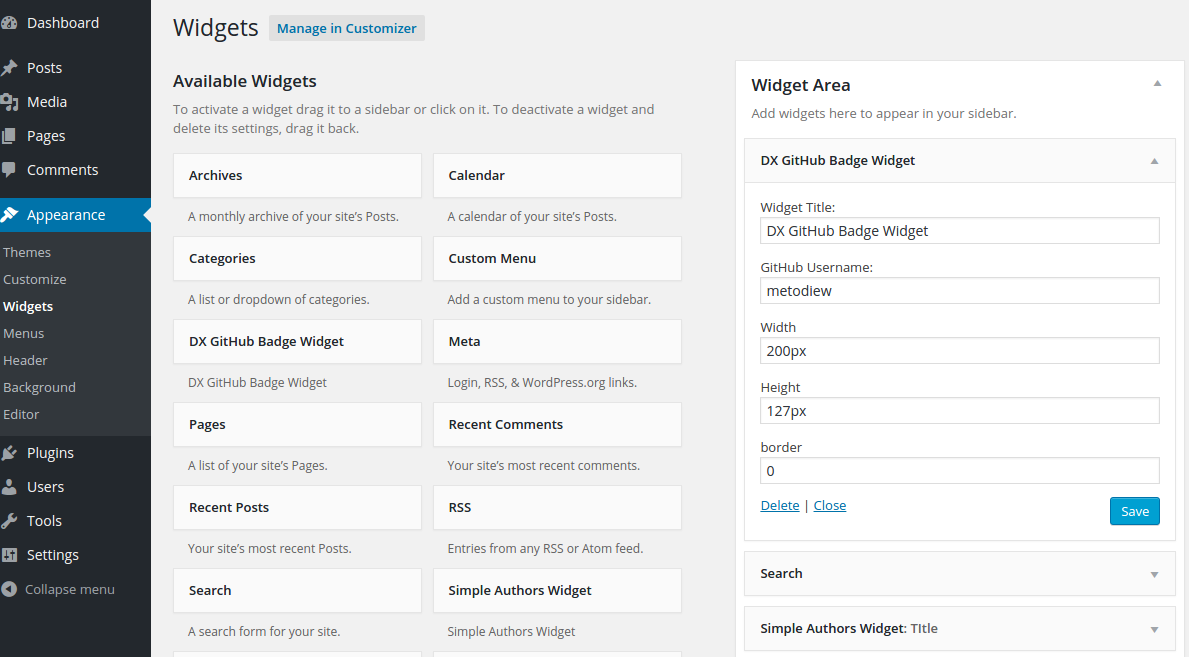

स्थापना
- Upload
DX-GitHub-Badgeto the/wp-content/plugins/directory - Activate the plugin through the ‘Plugins’ menu in WordPress
- Use
[dx_display_gh_badge user="GitHub-Username-here"]shortcode in your Post/Page.
प्रश्नोत्तर
- How to use plugin?
-
Use DX GitHub Badge Widget or
[dx_display_gh_badge user="GitHub-Username-here"]shortcode in your Post/Page.
समीक्षाहरू
यस प्लगिनको लागि कुनै समीक्षाहरू छैनन्।
योगदानकर्ता र डेभलपरहरू
“DX GitHub Badge” खुला स्रोत सफ्टवेयर हो। निम्न व्यक्तिहरूले यो प्लगिनमा योगदान गरेका छन्।
योगदानकर्ताहरू
“DX GitHub Badge” लाई आफ्नो भाषामा अनुवाद गर्नुहोस्
विकासमा रुचि छ?
आरएसएस द्वारा कोड ब्राउज गर्नुहोस्, एसभीएन रिपजिटरी हेर्नुहोस्, वा विकास लग को सदस्यता लिनुहोस्।
चेन्जलग
(06.12.2015)
- Version updated to 1.1
- Minor updates to the codebase – add checks if GitHub username is not empty
- a11y improvements – update Help Page Headings
(09.08.2015)
- Version updated to 1.0
- Fix “Deprecating PHP4 style constructors in WordPress 4.3”.
- See: https://make.wordpress.org/core/2015/07/02/deprecating-php4-style-constructors-in-wordpress-4-3/
- Screeshots added
0.1
- Initial release