

विवरण
Create attention-grabbing promotions that help you sell more, grow your audience, and make every important offer impossible to miss.
Kudonics Promo Banner Builder gives you everything you need to design and launch professional popups and on-page banners directly inside WordPress. Promote a sale, announce a product launch, highlight a special offer, encourage newsletter signups, or create urgency with a live countdown—without writing code or relying on an external design service.
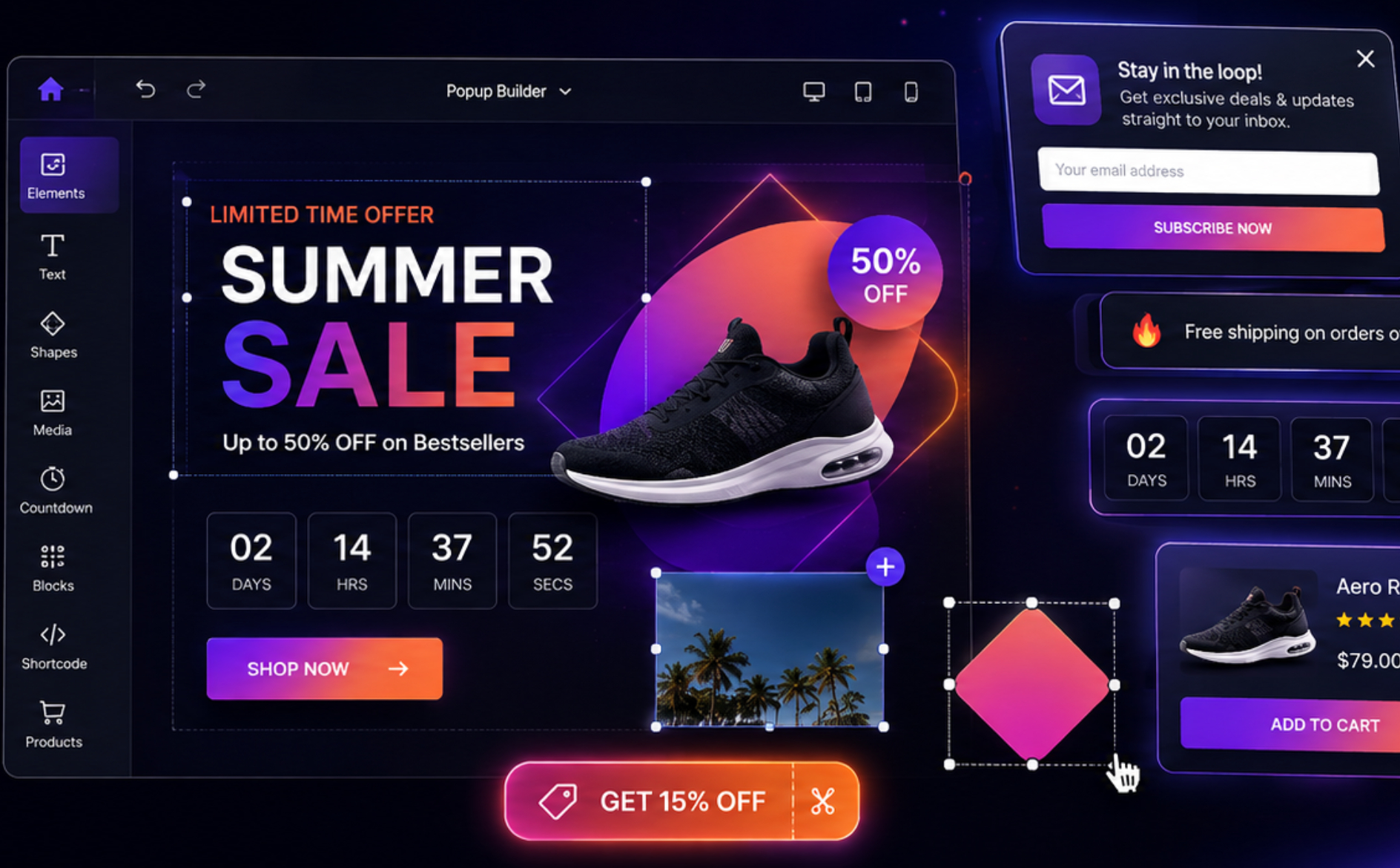
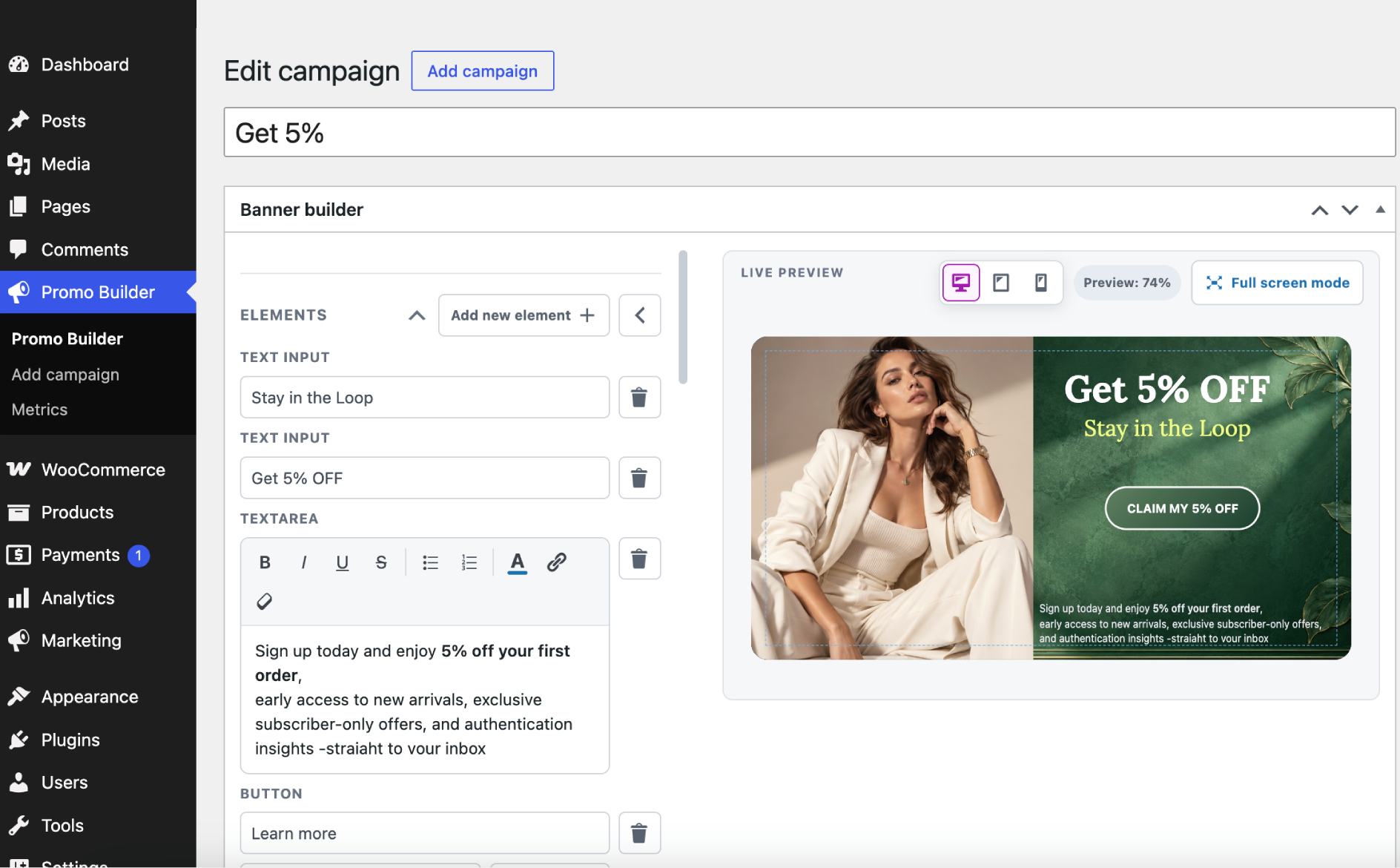
Start with one of eight ready-made campaign designs or build your own using the visual drag-and-drop editor. Move, resize, rotate, layer, and style content until it looks exactly right. Then choose where, when, and how your promotion appears. The result is a focused customer journey that feels timely instead of intrusive.
Why site owners choose Kudonics Promo Banner Builder
- Launch promotions faster. Ready-made editable designs help you go from idea to live campaign in minutes.
- Design without technical skills. Build visually with familiar controls—no CSS, HTML, or developer required.
- Show the right message at the right moment. Target specific pages, schedule campaigns, and trigger popups by time or scroll position.
- Create urgency that drives action. Add customizable countdown timers for launches, deadlines, and limited-time sales.
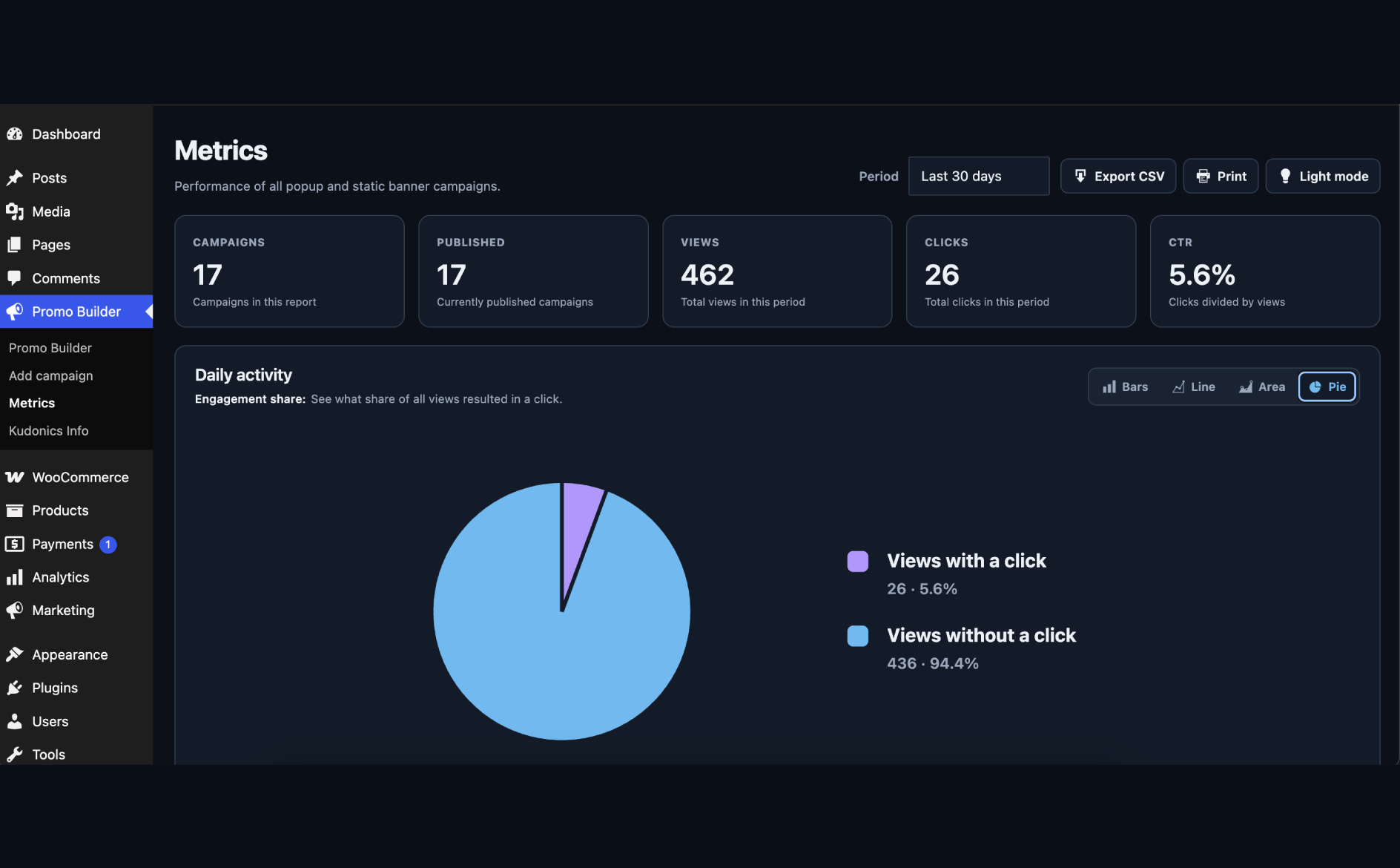
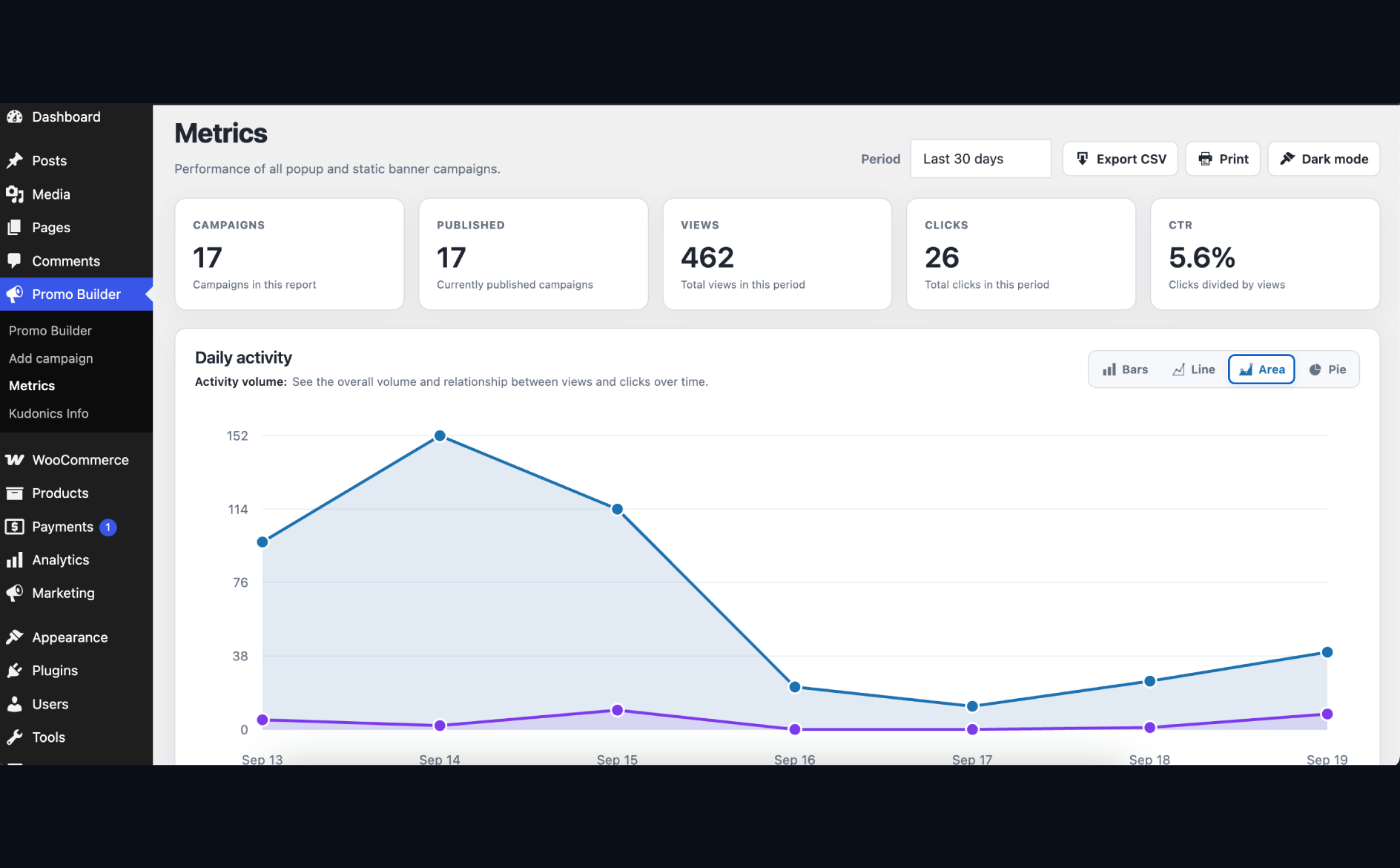
- Know what works. See views, clicks, closes, and unique visits in clear reports inside your WordPress dashboard.
- Keep control of your data. Campaign analytics stay in your own WordPress database instead of being sent to an outside analytics platform.
- Use the tools you already know. Add campaigns through Gutenberg, Elementor, or simple shortcodes.
- Works with or without WooCommerce. Use the complete banner and popup toolkit on any WordPress site, then unlock product promotions and store targeting when WooCommerce is active.
Build campaigns that match your brand
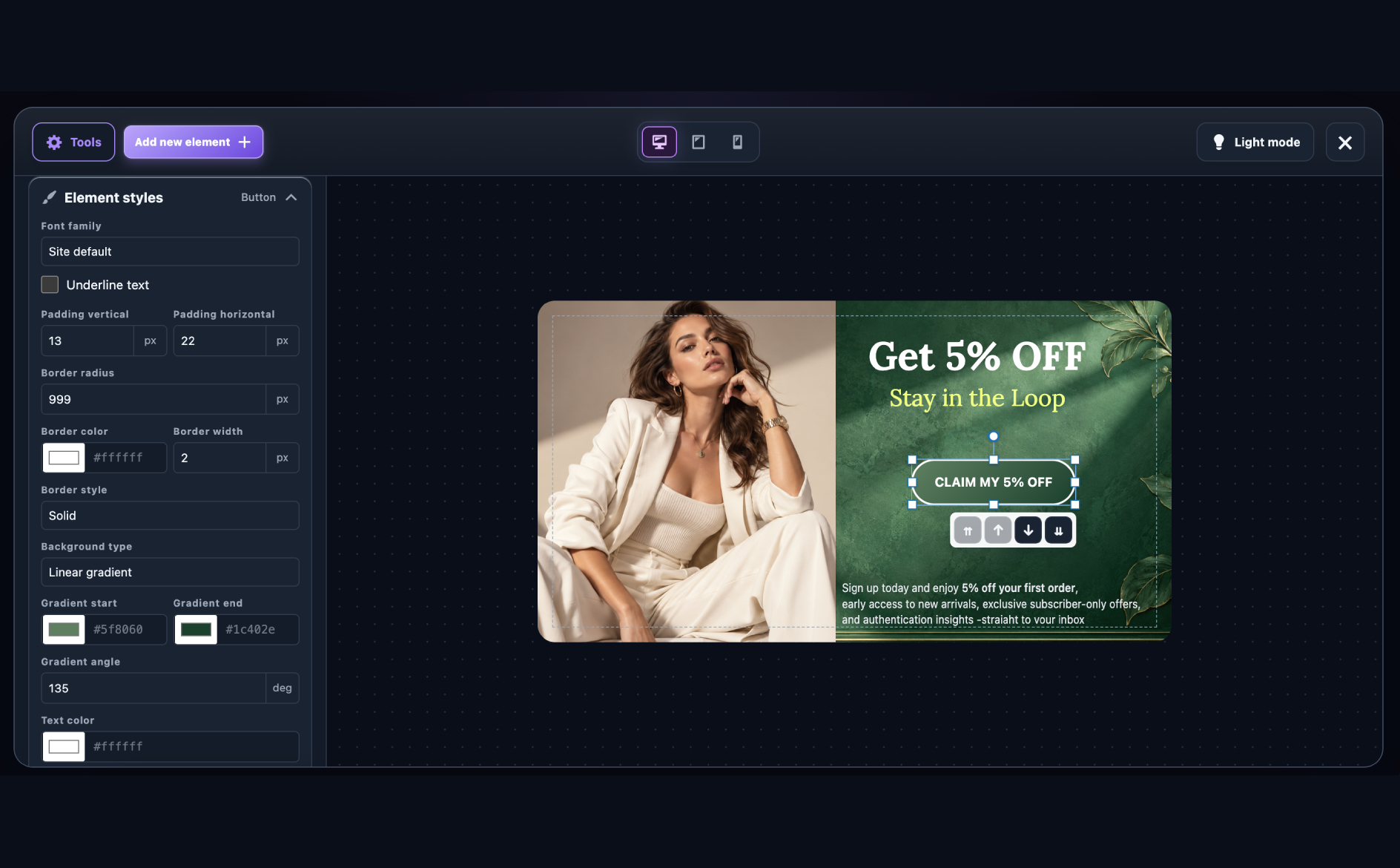
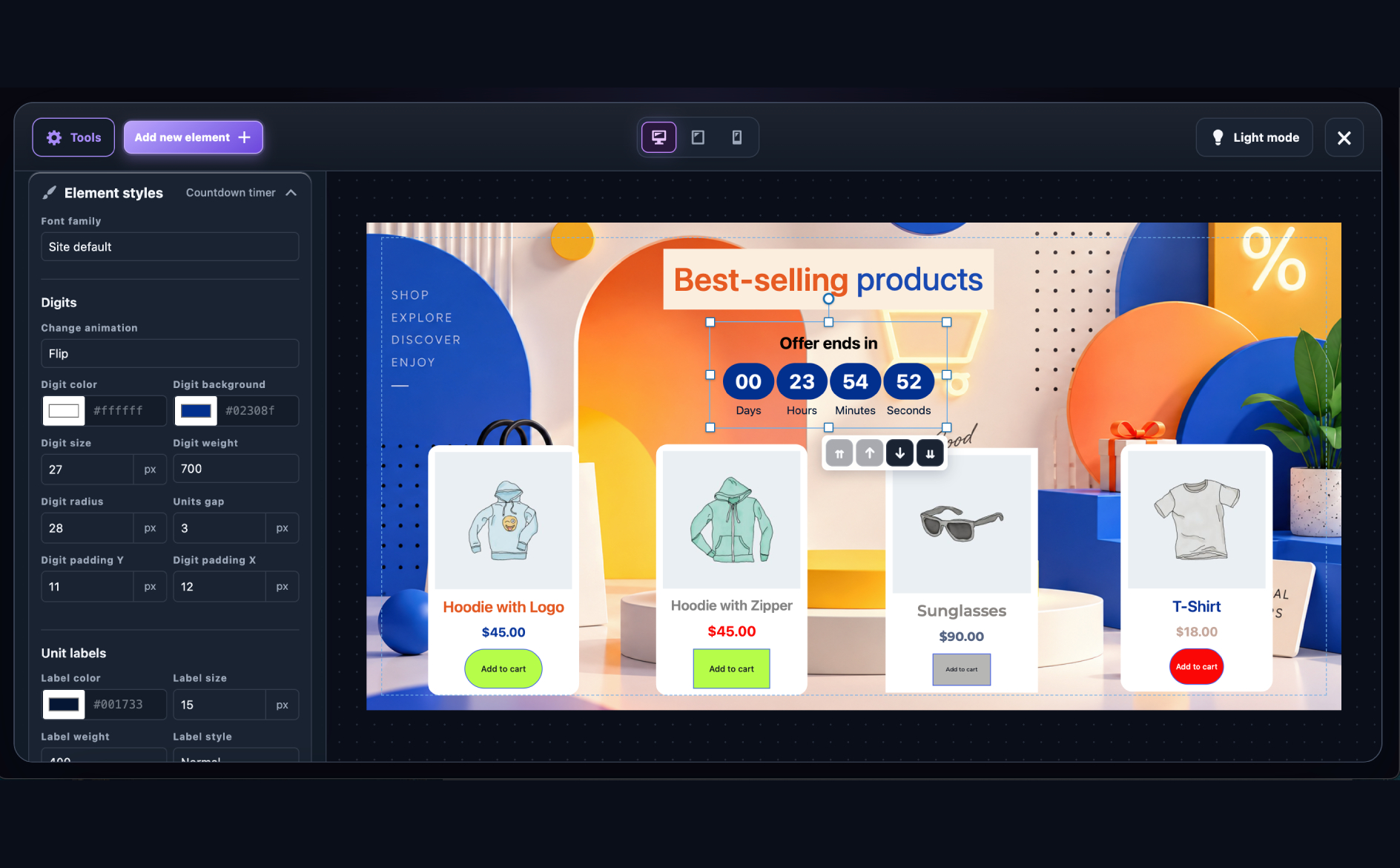
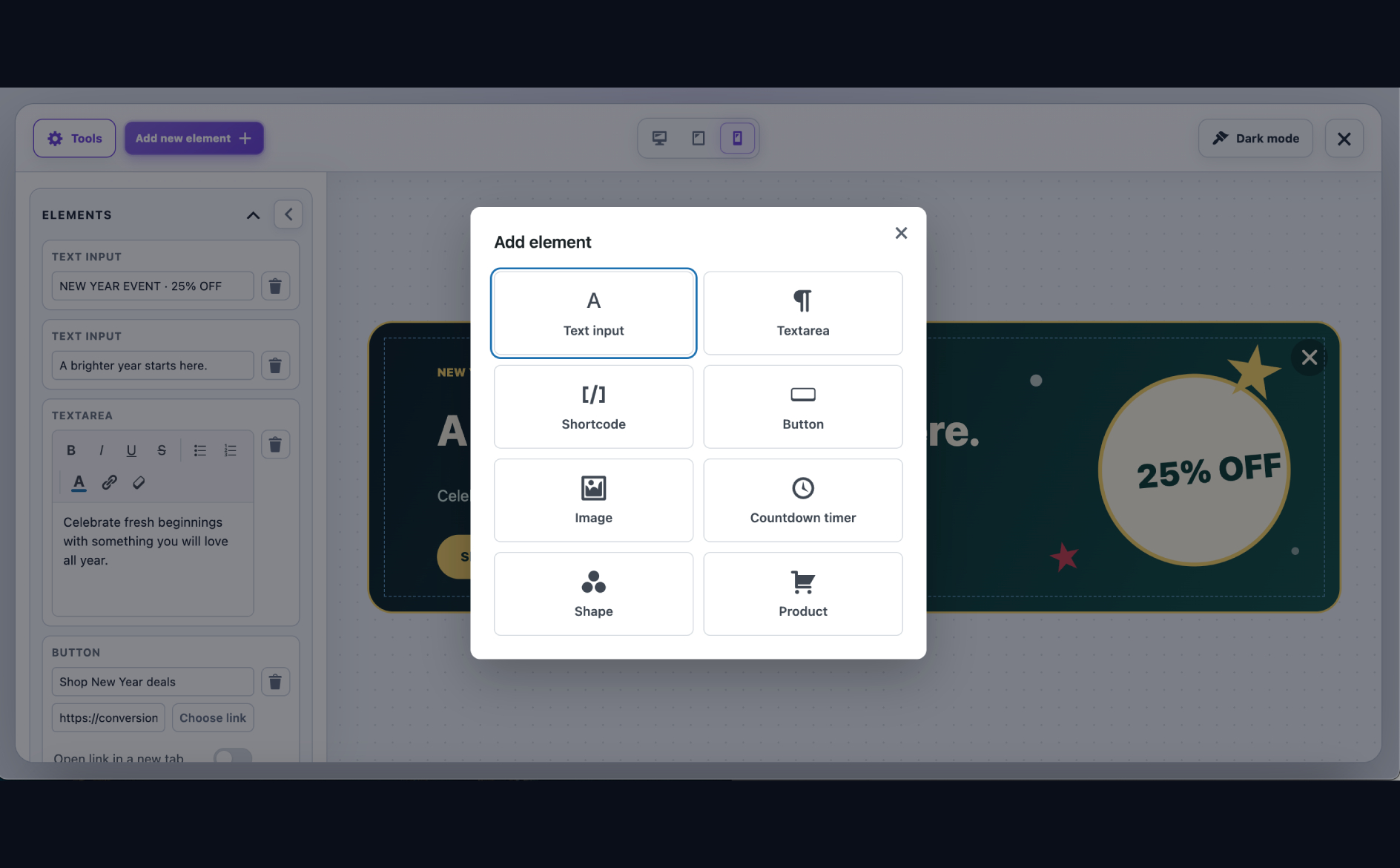
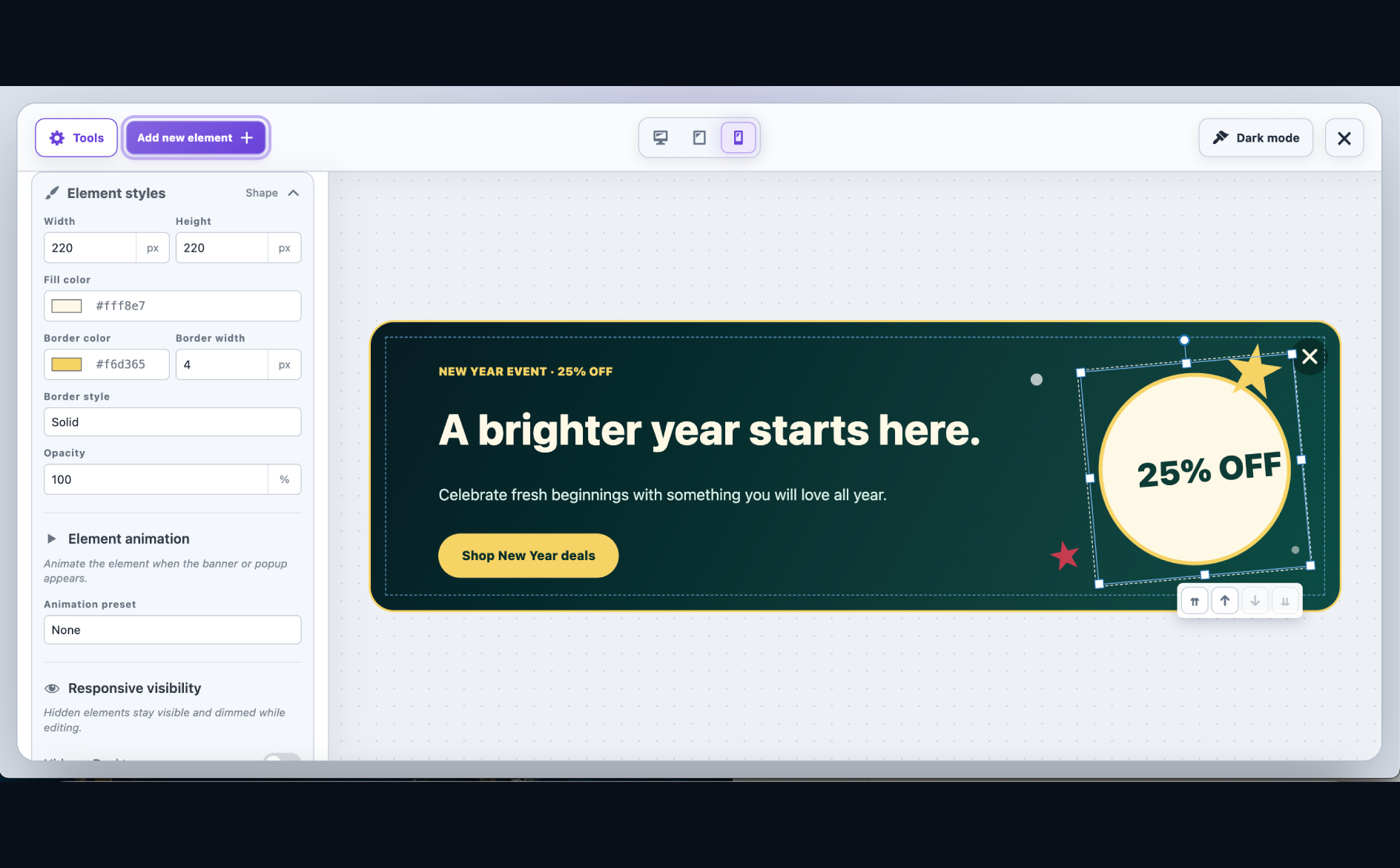
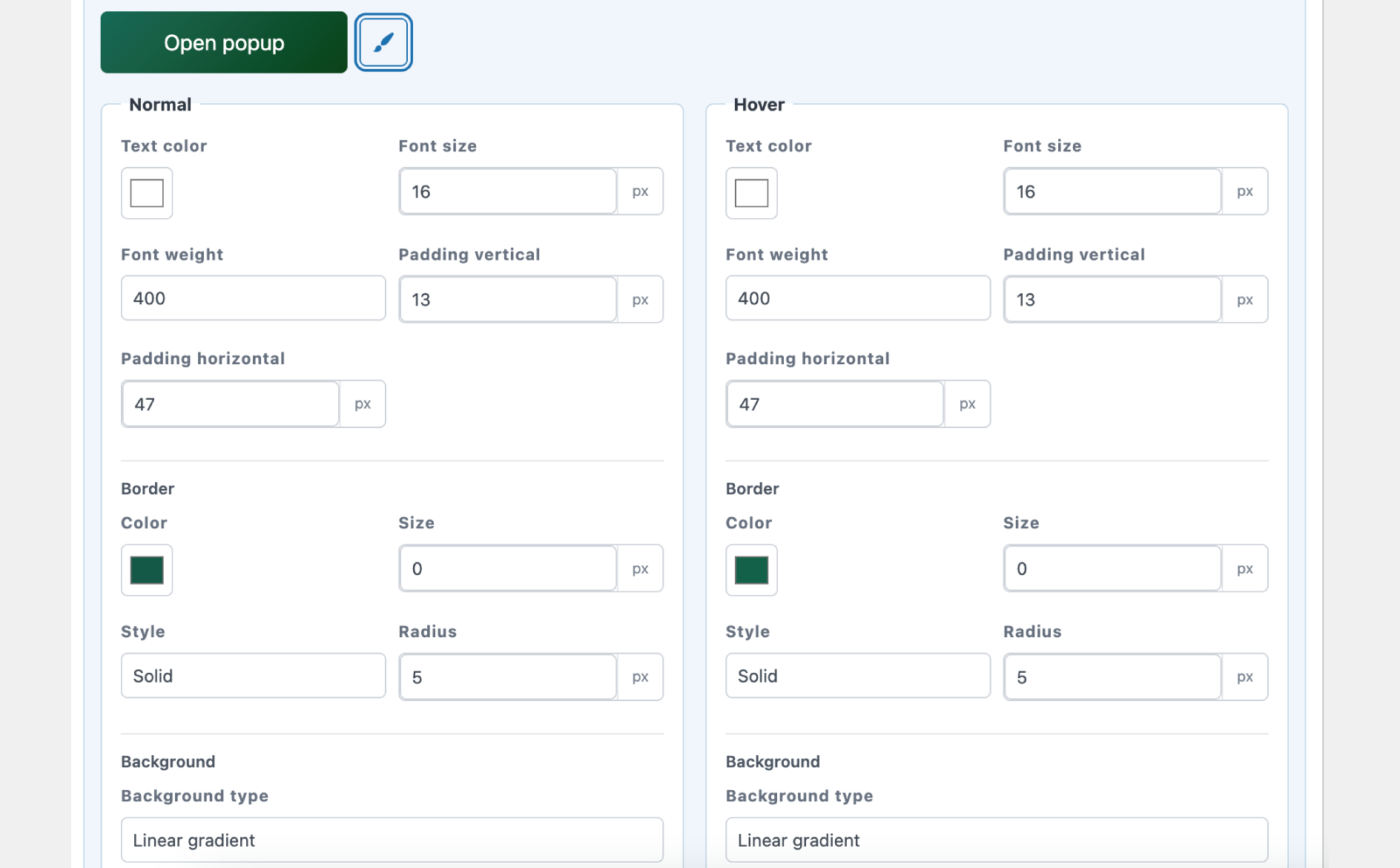
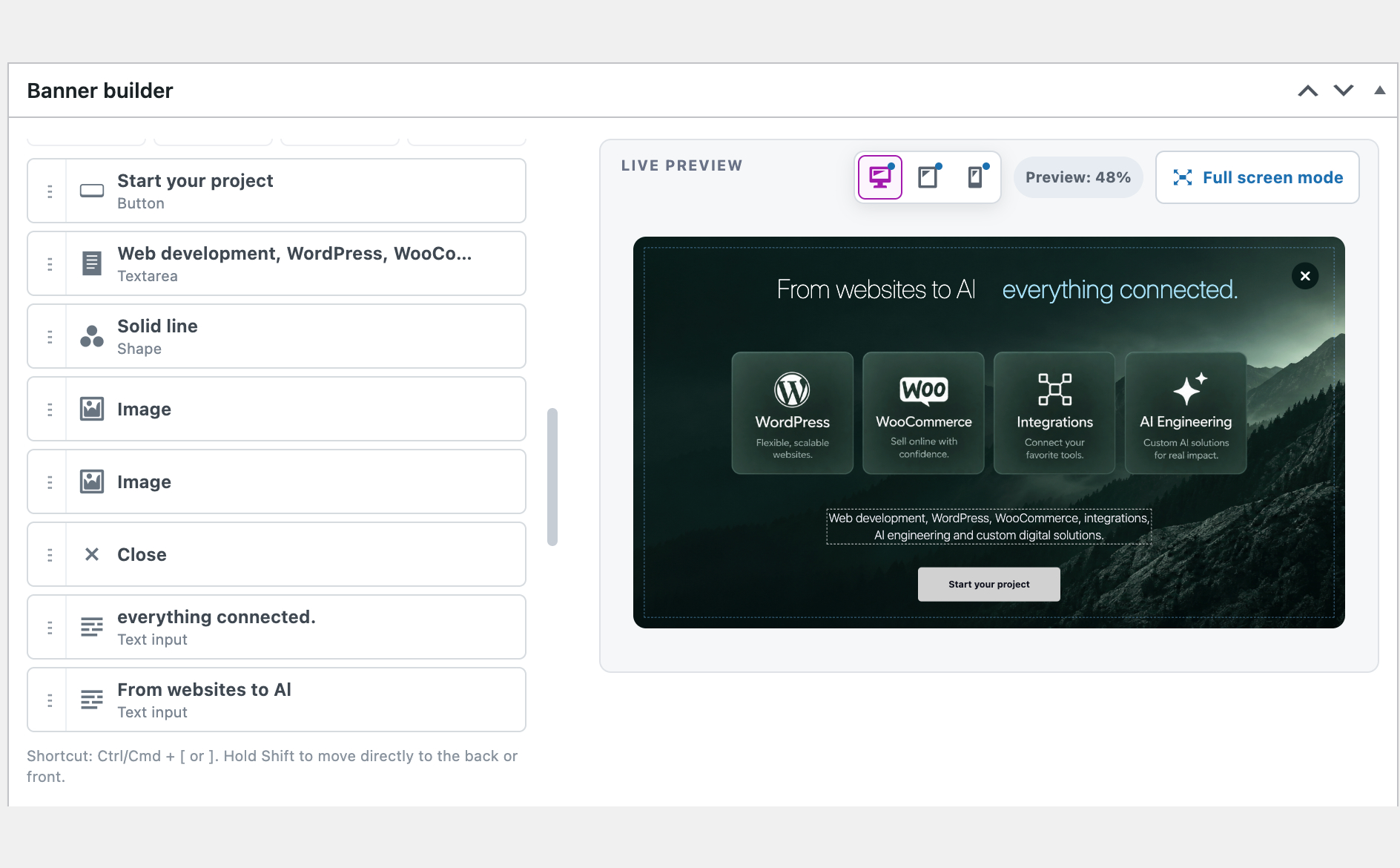
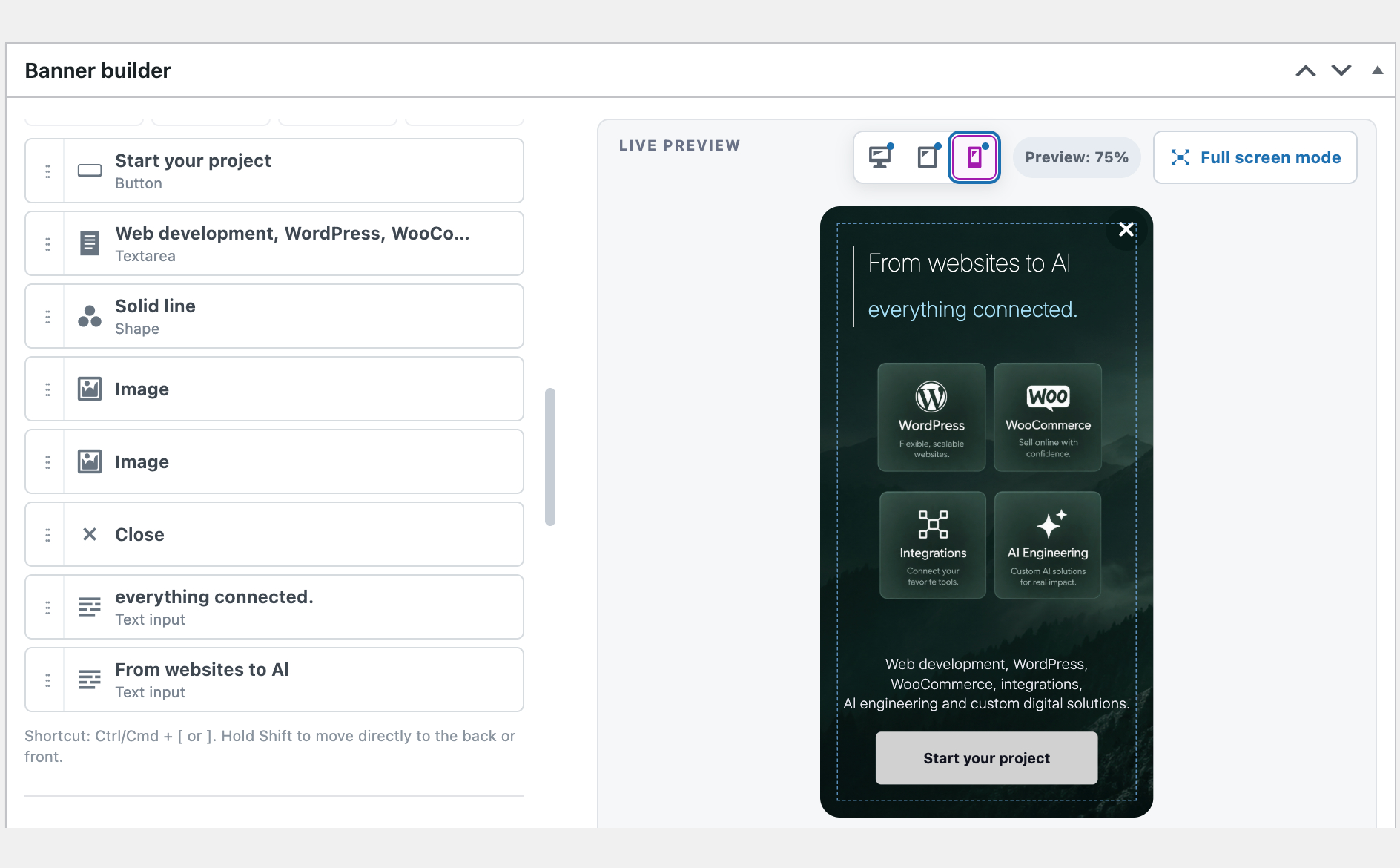
The visual editor lets you create both automatic popups and banners that sit naturally inside your pages. Add text, formatted content, buttons, images, shapes, shortcodes, countdown timers, and WooCommerce products. Every element can be moved, resized, rotated, layered, and styled visually.
Select several elements at once to move, scale, or rotate them together. Smart alignment guides, equal-spacing snapping, and distance indicators help you achieve a polished layout without guesswork. Add entrance animations such as fade, slide, zoom, pop, bounce, or a custom movement path to bring important content to life.
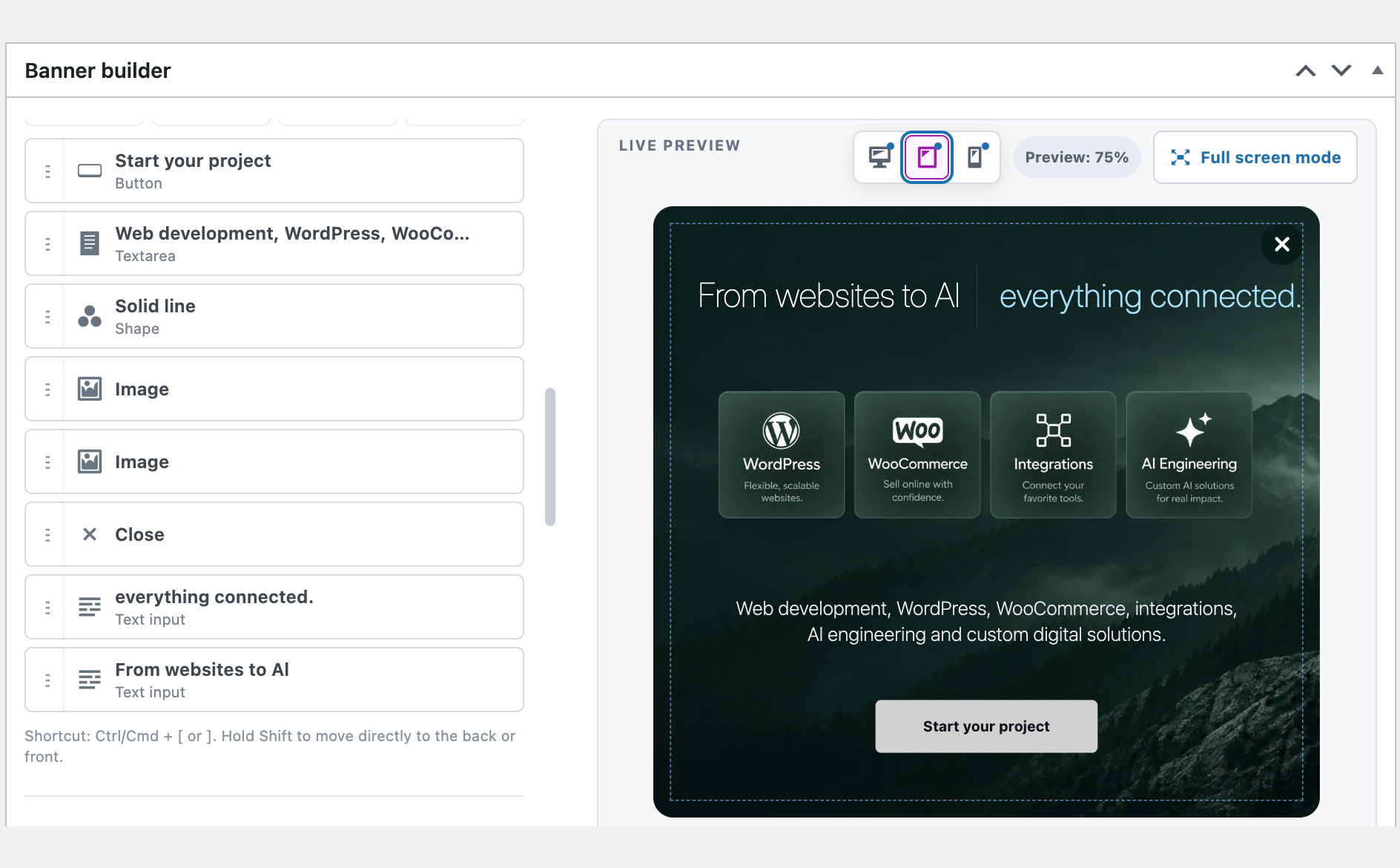
Create a separate experience for desktop, tablet, and mobile visitors so your promotion remains clear, attractive, and easy to act on at every screen size.
Reach visitors with precise display controls
You decide exactly how each campaign behaves:
- Show it across the entire site, on blog content, on selected pages, or on supported WooCommerce screens.
- Schedule a start and end date so seasonal campaigns run automatically.
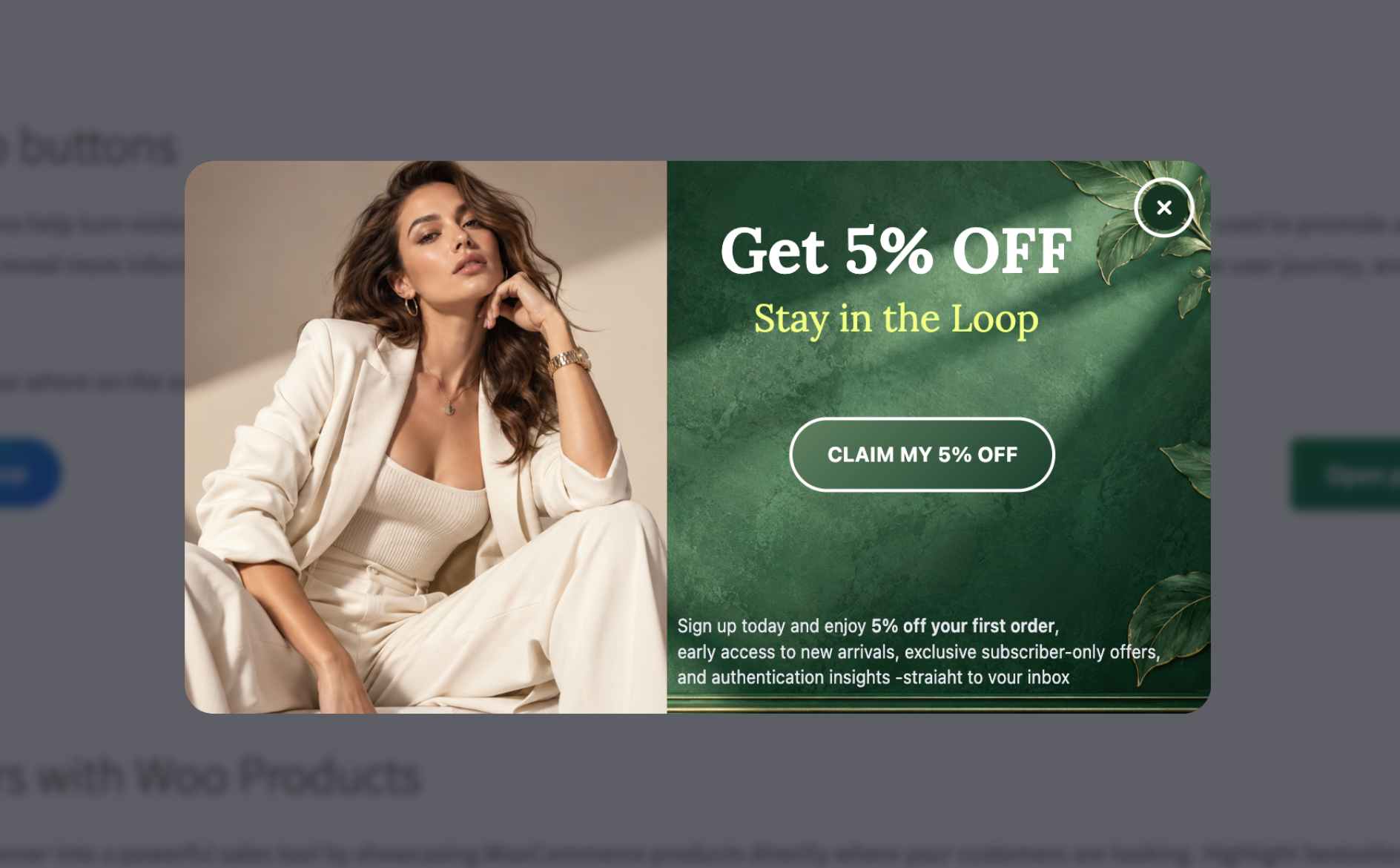
- Open popups immediately, after a delay, or when a visitor reaches 50% or 90% of the page.
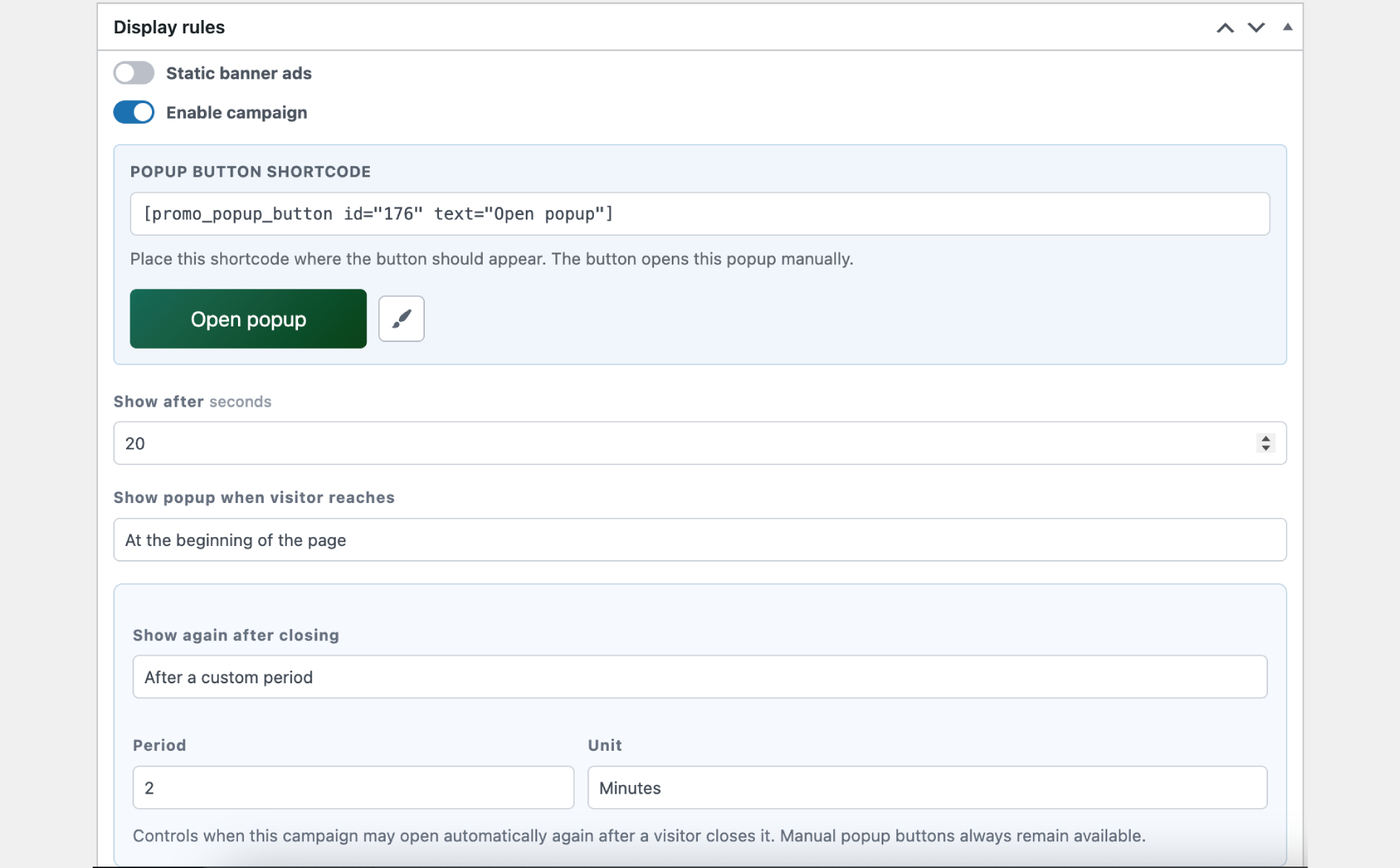
- Control when a closed popup may appear again: next session, after a custom period, or never automatically.
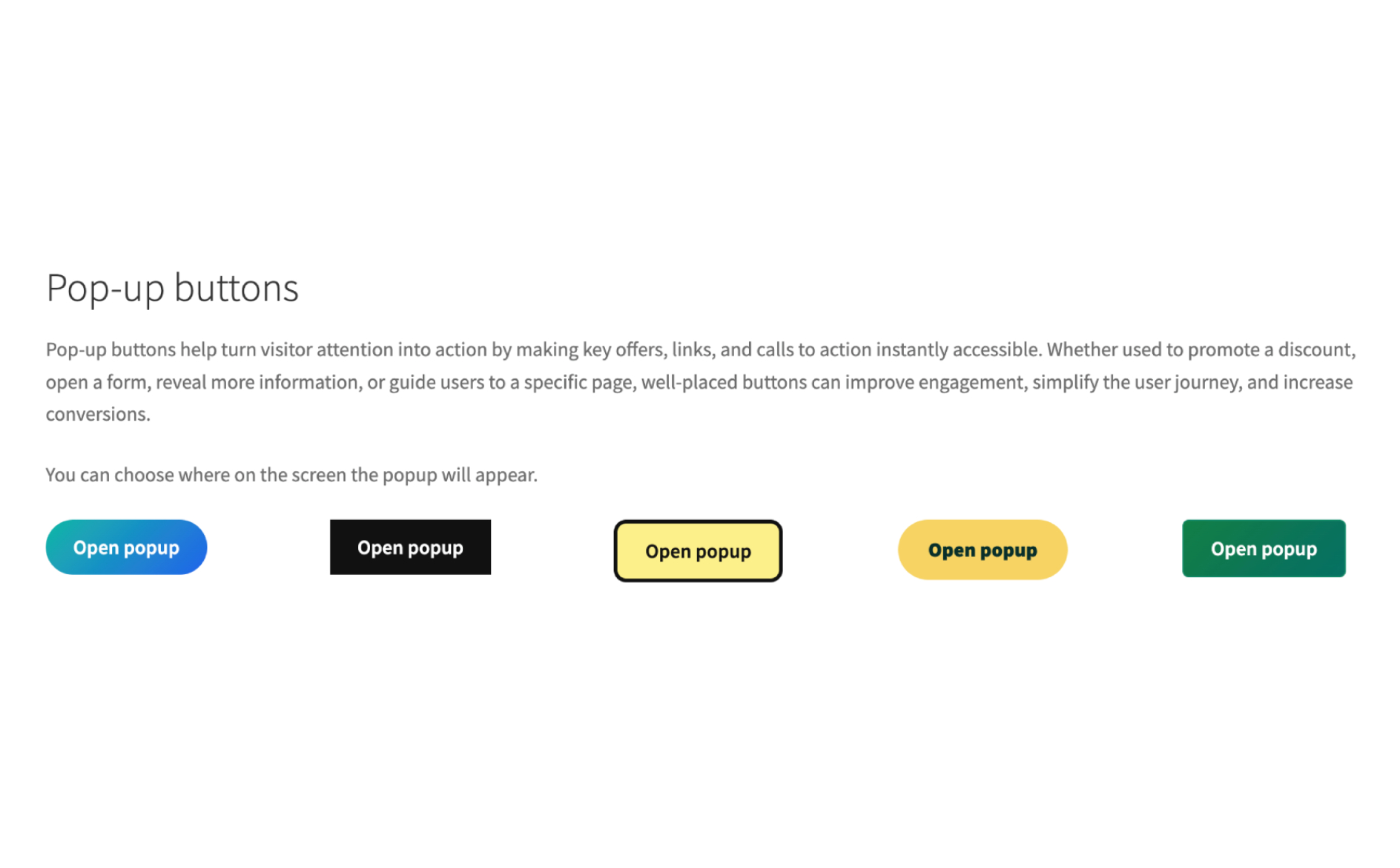
- Let visitors open a popup from a custom button placed anywhere on your site.
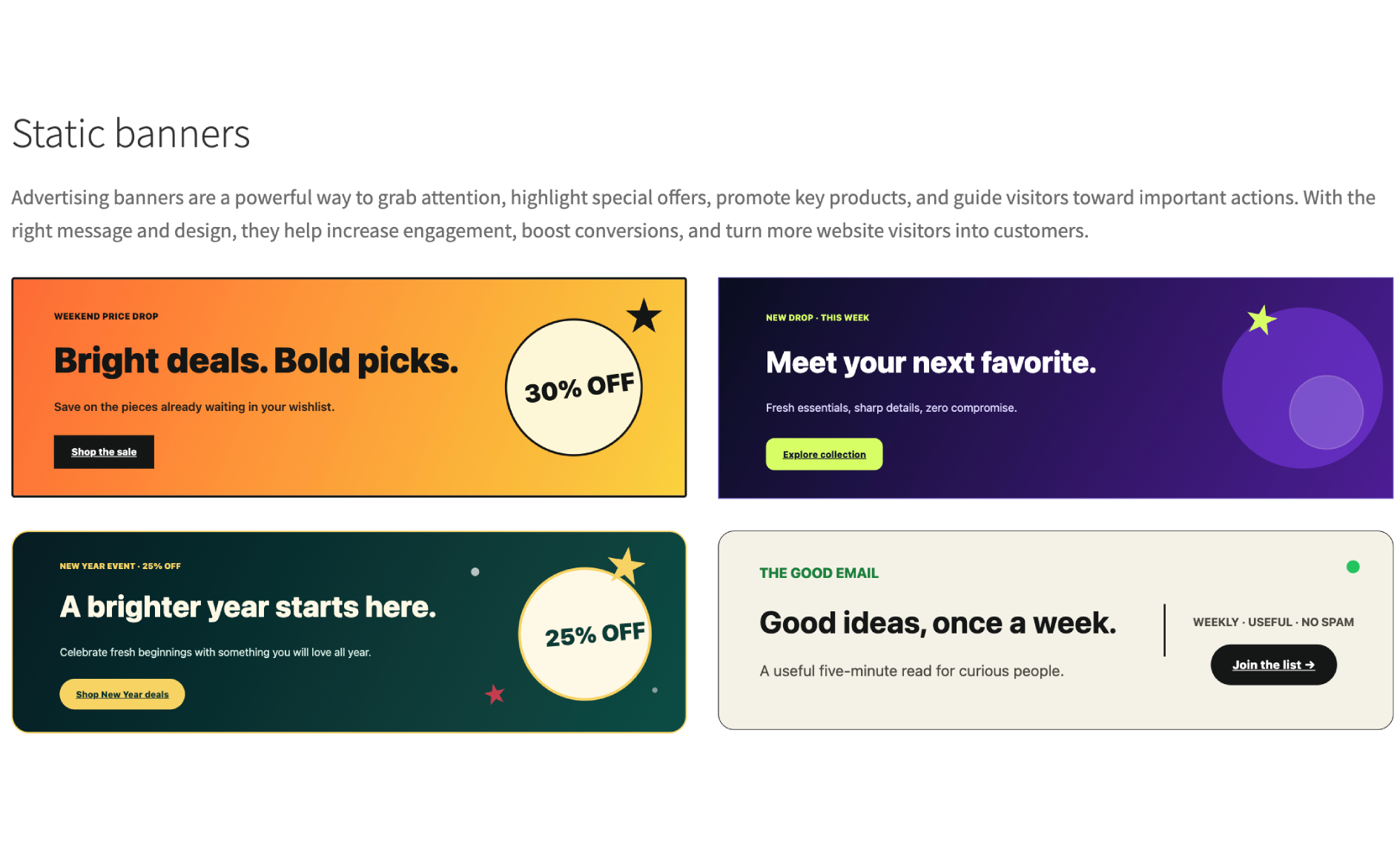
- Place static banners exactly where you want them with a block, Elementor widget, or shortcode.
Turn WooCommerce traffic into sales
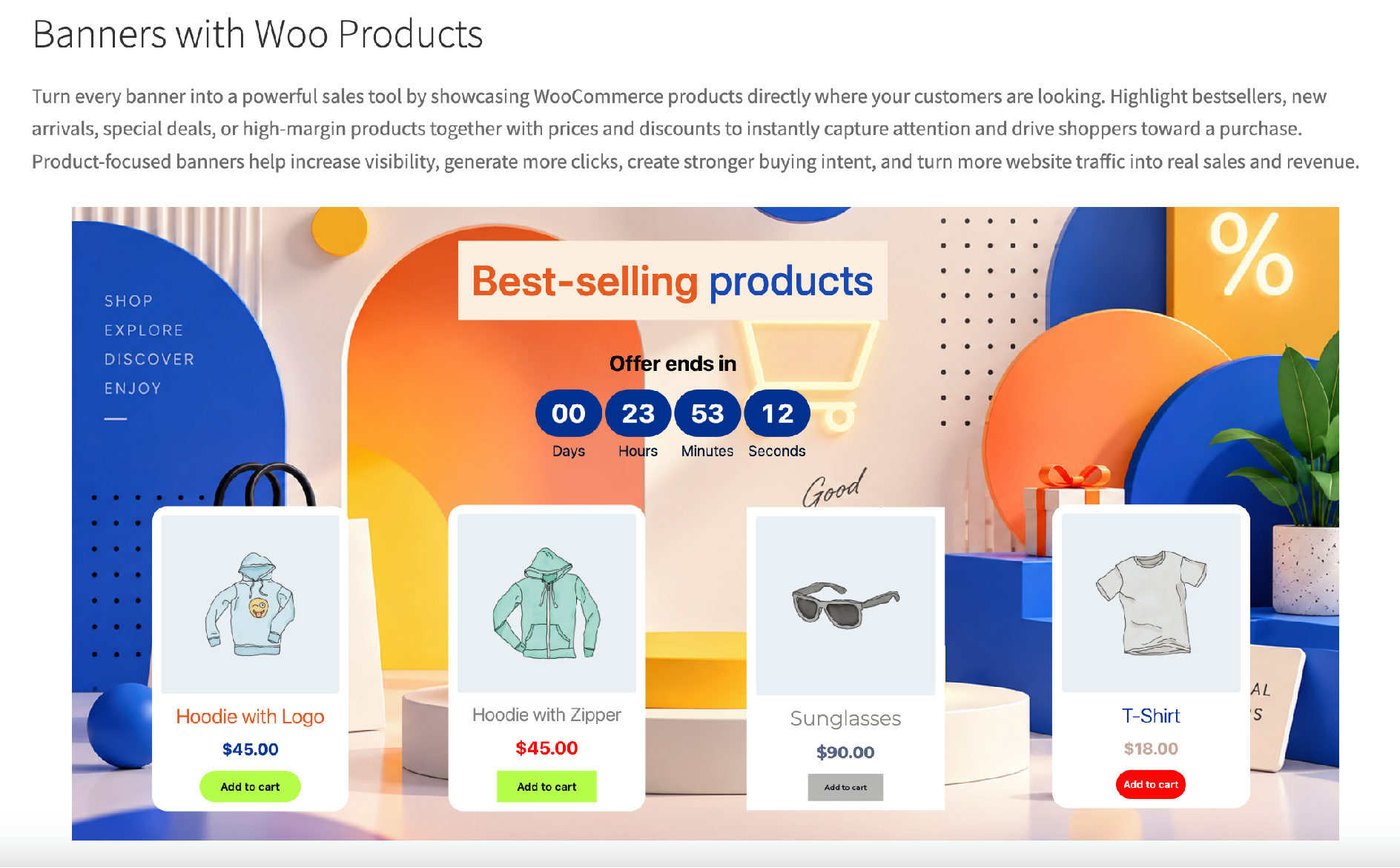
When WooCommerce is active, add product cards and add-to-cart actions directly to your design. Promote selected product groups and target store, product, cart, or checkout experiences with relevant offers. WooCommerce is completely optional—all core popup and banner features work on a standard WordPress website.
Measure results without leaving WordPress
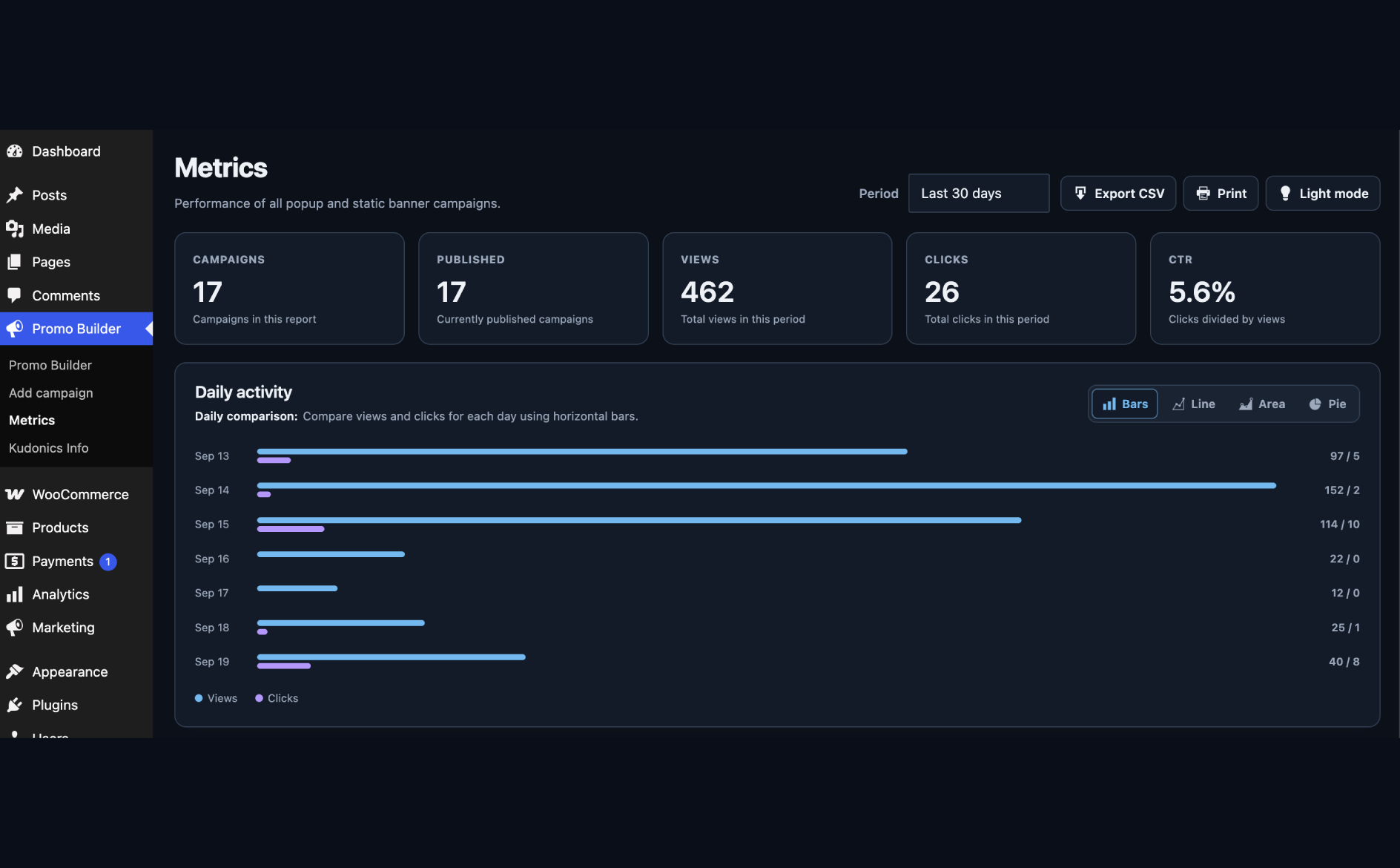
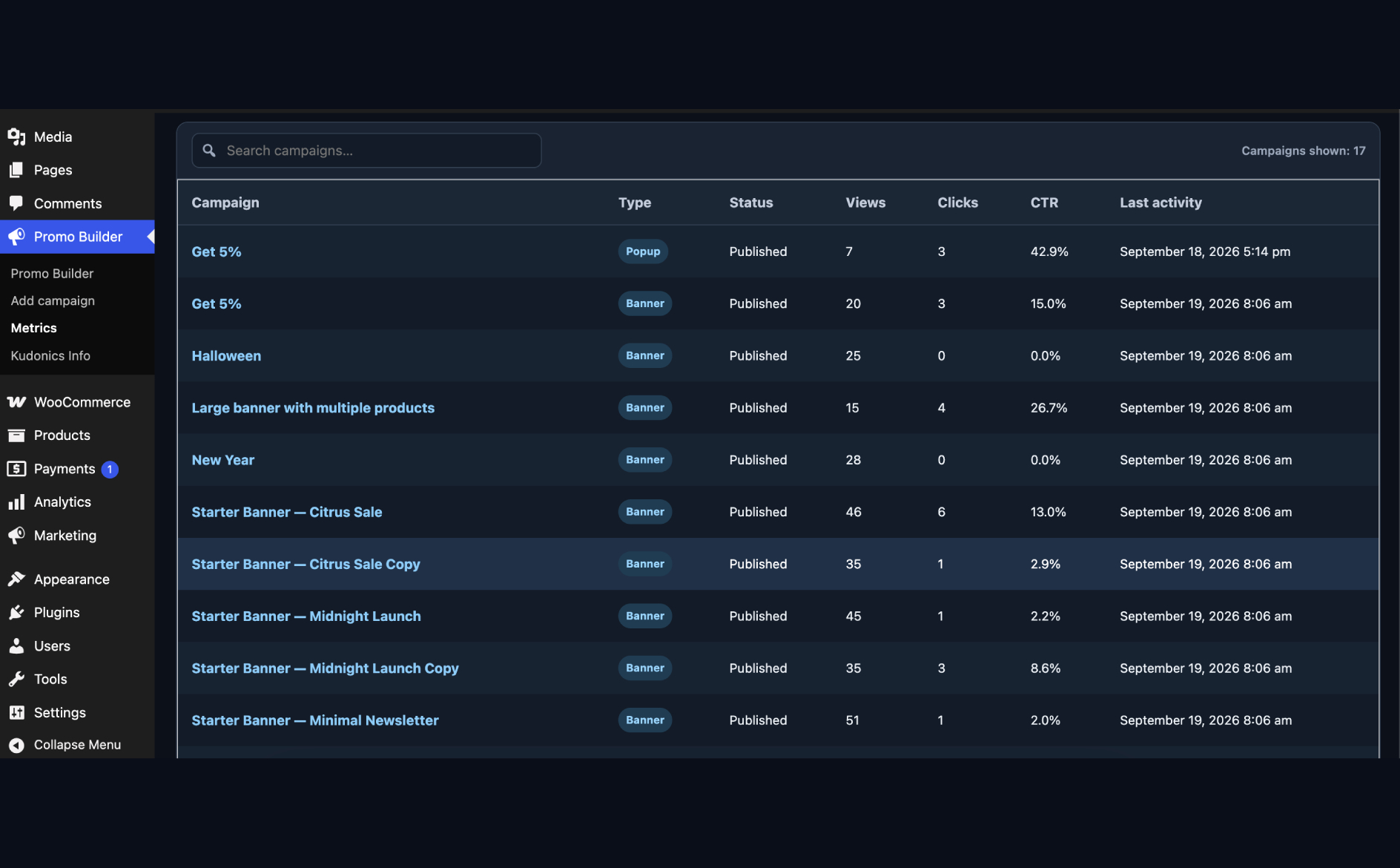
Built-in first-party reporting shows campaign views, clicks, closes, and unique sessions. Use the dashboard overview and campaign reports to see which messages attract attention and which offers inspire action. Analytics are stored locally in your WordPress database, include practical retention controls, and never require a separate analytics account.
Start with a professional design
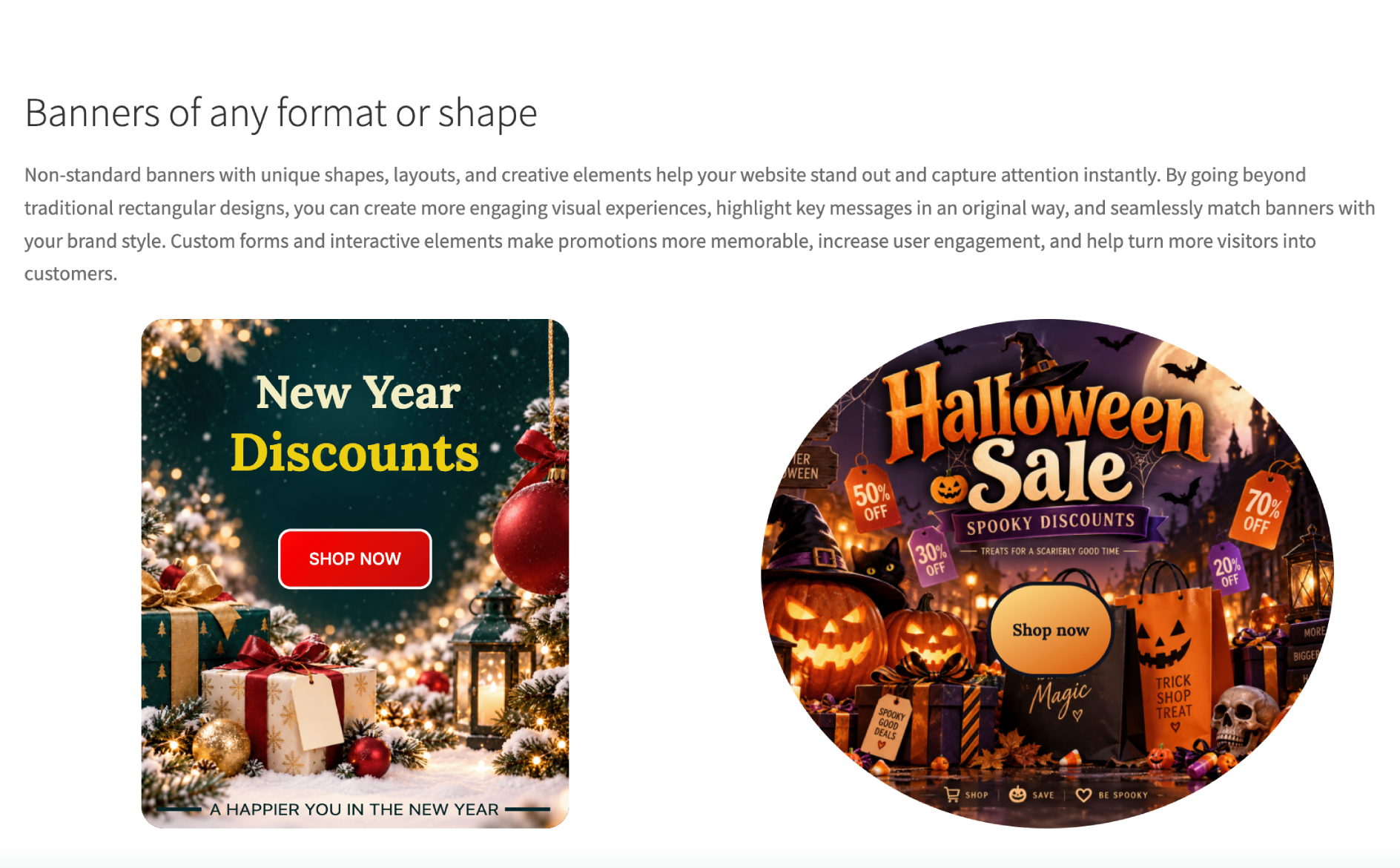
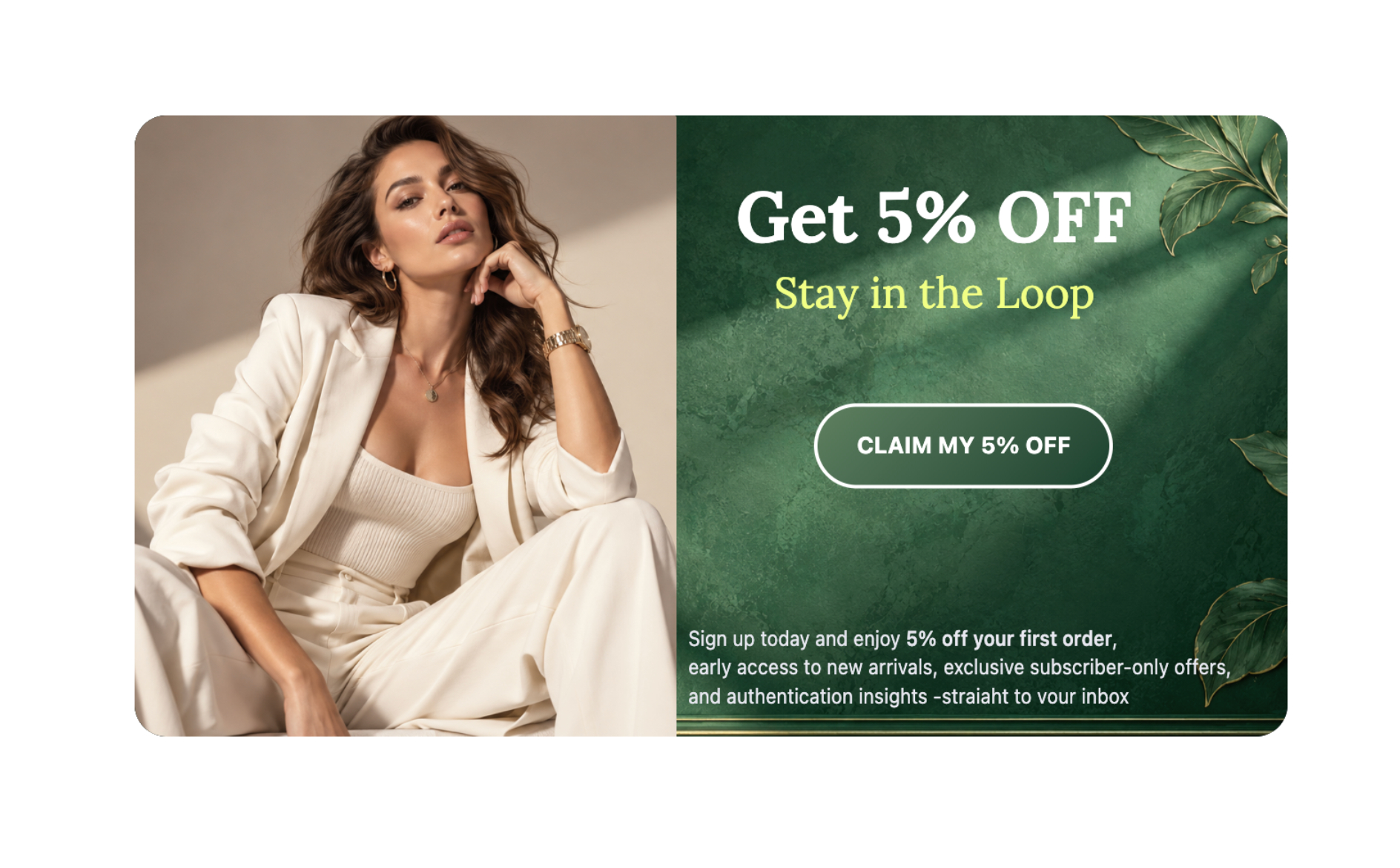
Eight editable starter campaigns are added as drafts on first activation. Choose a banner or popup, replace the sample content with your offer, adjust the colors and images, set the display rules, and publish. Every starter is fully customizable, so you get a fast starting point without sacrificing your brand.
Placement and integrations
Use the dedicated Gutenberg blocks or native Elementor widgets for the easiest visual placement.
Prefer a shortcode? Place a static banner with [promo_banner id="123"].
Open a popup from a custom button with [promo_popup_button id="123" text="Open popup"].
When WooCommerce is active, campaigns can use product groups, add-to-cart buttons, and store-specific targeting. All core plugin features remain available without WooCommerce, Elementor, or another page builder.
Privacy
Kudonics Promo Banner Builder records first-party campaign analytics in the site’s WordPress database. Records can include views, clicks, closes, page paths, referring host names, browser family, device category, browser language, browser time zone, and a country code when the hosting provider or CDN supplies one.
The plugin creates a random identifier in browser session storage and saves only a salted, non-reversible hash for unique-session counts. Popup dismissal preferences are kept in session or local browser storage, according to the campaign’s display rules. Repeated events from the same session are rate limited, and daily row limits protect the database from excessive cardinality. It does not store raw IP addresses, contact external servers, or send analytics to an external service.
Analytics are retained for one year by default and can be changed or cleared from the Metrics screen. Campaigns and analytics remain after uninstall unless the site owner enables the opt-in full data deletion setting before removing the plugin.
स्क्रिनसटहरू
ब्लकहरू
यो प्लगिनले 2 ब्लकहरू उपलब्ध गराउँछ।
- Static promo banner
- Promo popup button
स्थापना
- Install the release ZIP from Plugins > Add New > Upload Plugin, or copy the
kudonics-promo-banner-builderdirectory to/wp-content/plugins/. - Activate Kudonics Promo Banner Builder.
- Open Promo Builder and customize a draft starter campaign or create a new campaign.
- Configure Display rules, then publish and place the campaign as required.
प्रश्नोत्तर
-
Is WooCommerce required?
-
No. WooCommerce only adds product elements and shop or product targeting. Popups, banners, scheduling, blocks, shortcodes, and analytics work on a standard WordPress installation.
-
Enable Static banner ads in Display rules, publish the campaign, and use its shortcode, Static promo banner Gutenberg block, or Static Promo Banner Elementor widget.
-
Publish an enabled popup and use
[promo_popup_button id="123" text="Open popup"], the Promo popup button Gutenberg block, or the Promo Popup Button Elementor widget. Manual buttons ignore automatic page and delay rules, but campaign start and end dates still apply. -
When does an automatic popup appear?
-
Display rules can open a popup at the beginning of a page, after 50% scroll, or after 90% scroll. If a delay is configured, both the delay and scroll condition must be reached. The Show again after closing rule can keep it hidden until the next browser session, for a custom number of minutes, hours, or days, or indefinitely. Manual popup buttons remain available.
-
Which timezone is used for campaign schedules?
-
Campaign dates use the site timezone configured under Settings > General. Dates are stored internally in UTC and converted to the site timezone when edited.
-
How can I display a dismissed popup again while testing?
-
Open the campaign’s Display rules and select Reset popup display. This only clears the dismissal for the current browser.
-
What happens to data when the plugin is removed?
-
Campaigns and local analytics are retained by default. The Metrics screen provides retention controls, manual metrics cleanup, and an opt-in setting that permanently removes campaigns, analytics, and plugin settings during uninstall.
समीक्षाहरू

योगदानकर्ता र डेभलपरहरू
“Kudonics Promo Banner Builder” खुला स्रोत सफ्टवेयर हो। निम्न व्यक्तिहरूले यो प्लगिनमा योगदान गरेका छन्।
योगदानकर्ताहरू
“Kudonics Promo Banner Builder” लाई आफ्नो भाषामा अनुवाद गर्नुहोस्
विकासमा रुचि छ?
आरएसएस द्वारा कोड ब्राउज गर्नुहोस्, एसभीएन रिपजिटरी हेर्नुहोस्, वा विकास लग को सदस्यता लिनुहोस्।
चेन्जलग
1.0.3
- Refreshed the Aurora Welcome starter popup with a more polished layout, stronger offer presentation, a coupon-code badge, and subtle entrance animations.
- Expanded the plugin presentation with a clearer, benefit-focused overview of the visual builder, targeting, scheduling, countdowns, integrations, and local analytics.
- Improved feature explanations to make campaign creation and placement easier to understand for non-technical users.
1.0.2
- Added multi-element selection with a shared transform frame.
- Added group moving, scaling, and rotation.
- Improved alignment guides with equal-spacing snapping and distance indicators.
1.0.1
- Created an image cropping function
- Improved element scaling system
- New capabilities added for elements
- Banner display frequency added
1.0.0
- Initial public release.